 TextImageEdit
Evidence and review
Can ChatGPT Edit Text in an Image? We Tested It
Yes. ChatGPT can edit text in an image you upload: describe the old words and the new ones, and it returns a new image. In our test on November 5, 2026 it changed a three-line date on a poster and removed a large sale headline from behind a product, and both results were clean on the first try.
It does not edit the original pixels. ChatGPT draws a new image that closely follows yours, so check every character, the rest of the picture and the output size before you use it. Below are the two tests, what we measured and when a dedicated editor is the better fit.
How we tested
We used the ChatGPT web app with a regular chat, the account's default model and one attempt per image. Both inputs are our own fictional designs, the same ones used on our change date and remove text pages, so the TextImageEdit results come from the same files.
The prompts were plain requests anyone would type:
- In this image, change the text "SAT OCT 17 11–4" to "SUN NOV 1 12–5". Keep everything else exactly the same.
- Remove the large "30% OFF" text from this image and fill in the background behind it. Keep everything else exactly the same, including the can and its label.
Our first attempt was in a temporary chat. ChatGPT replied that image editing isn't available there and asked us to switch to a regular chat. Plan for that: the edit will be saved in your chat history.
Test 1: change the date on a poster
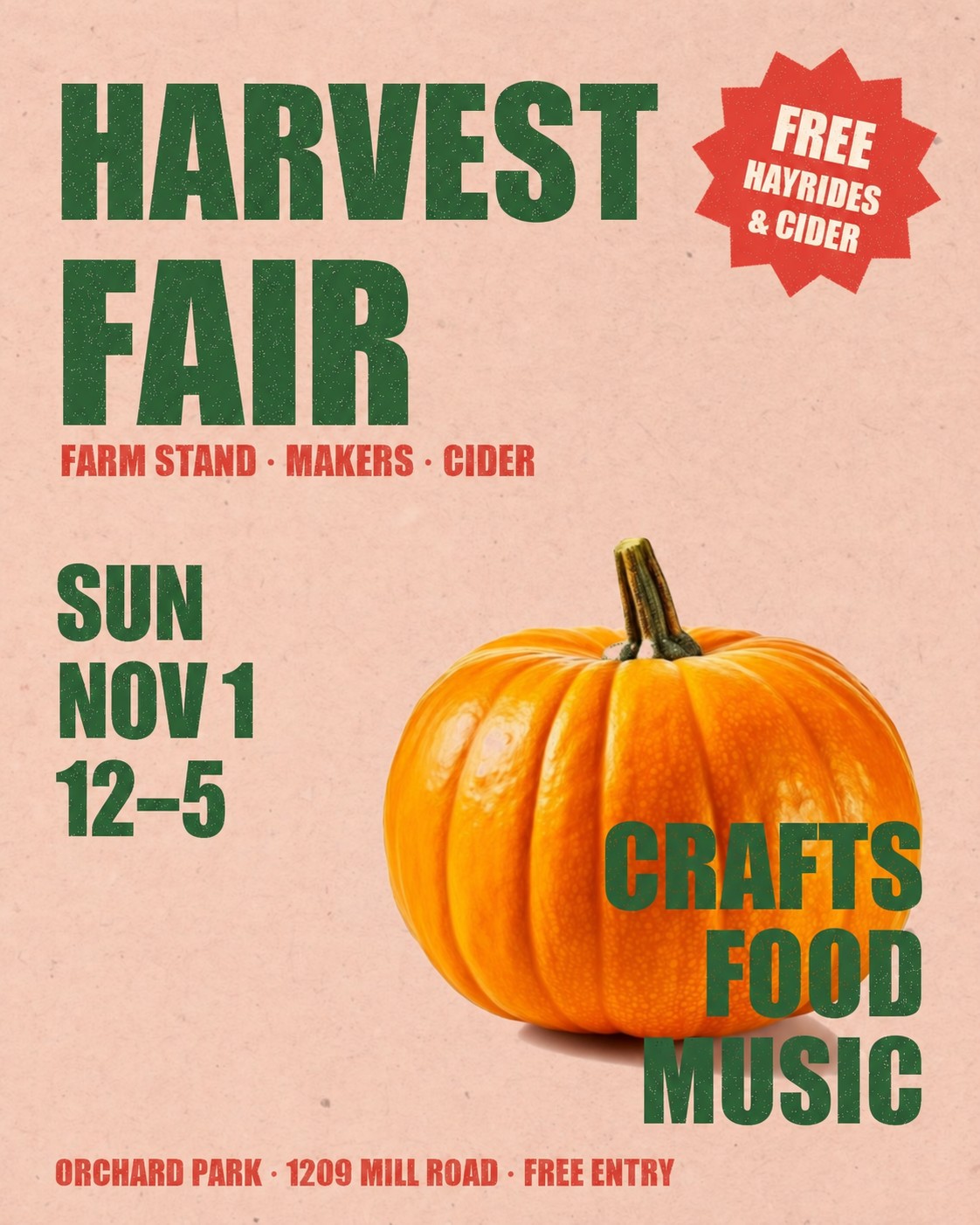
The harvest fair poster has the date block SAT OCT 17 11–4 in heavy green type with a speckled print texture.
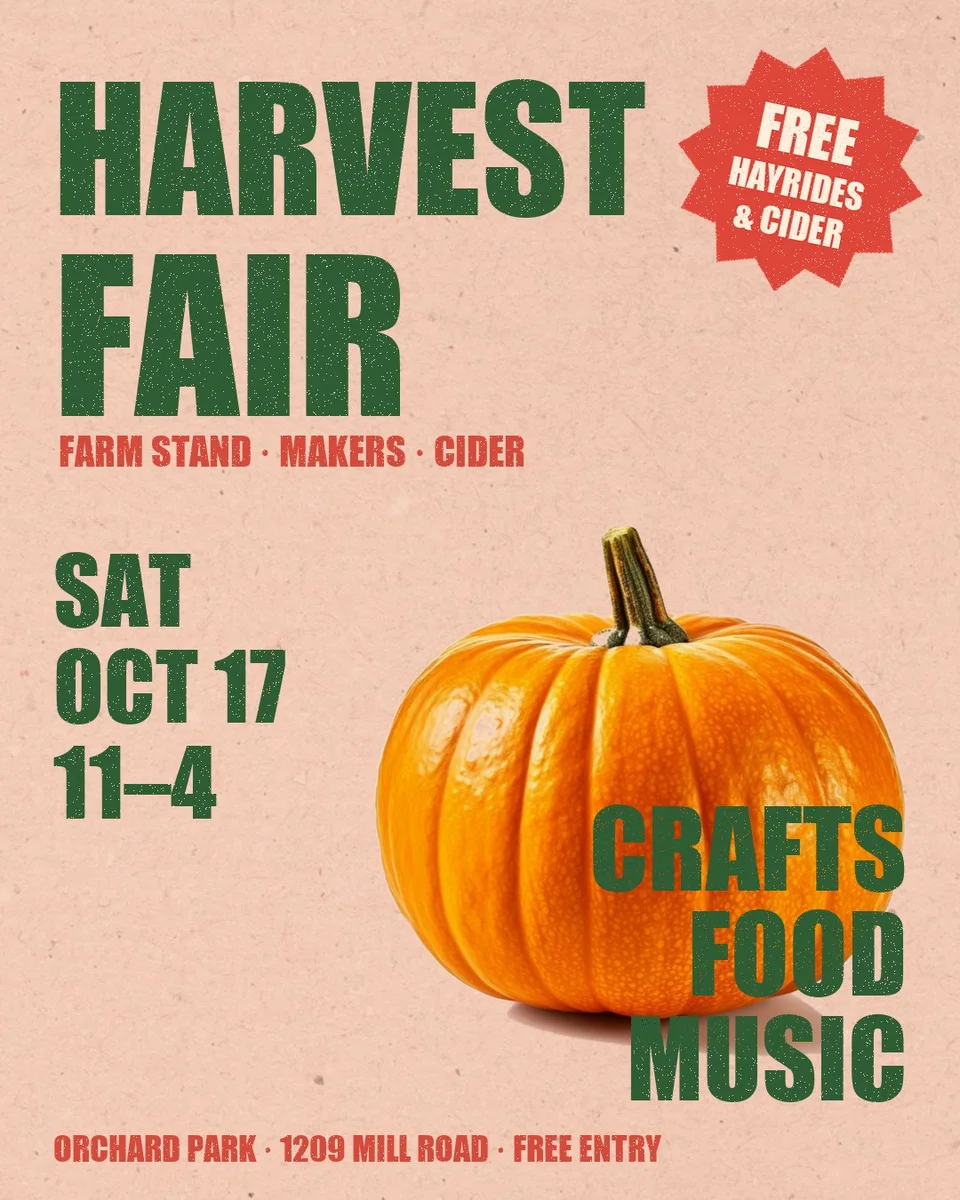
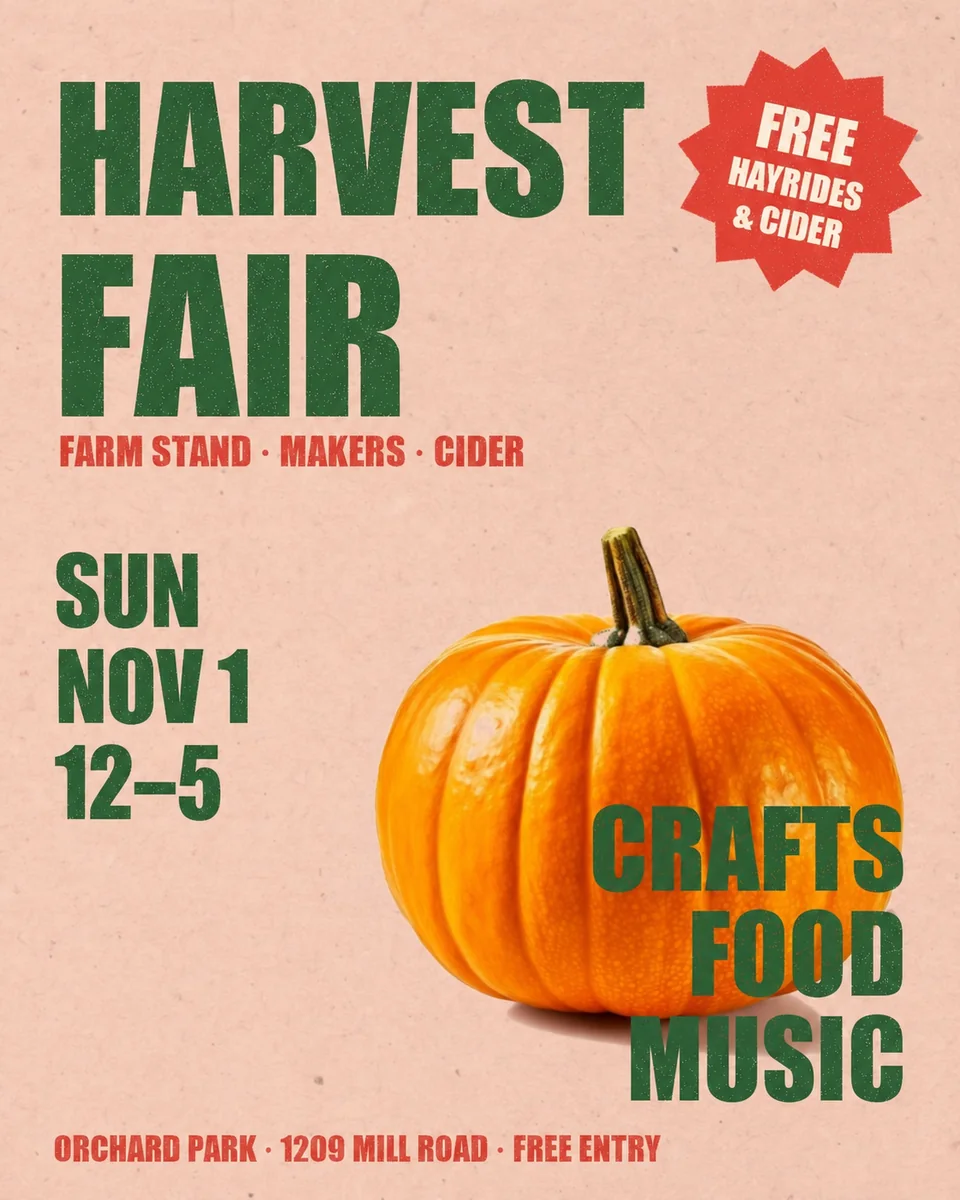
ChatGPT changed all three lines in the same typeface and position. The headline, pumpkin, starburst and footer came back as they were. Up close, the new date is a little cleaner than the speckled print around it, so the texture does not quite match.
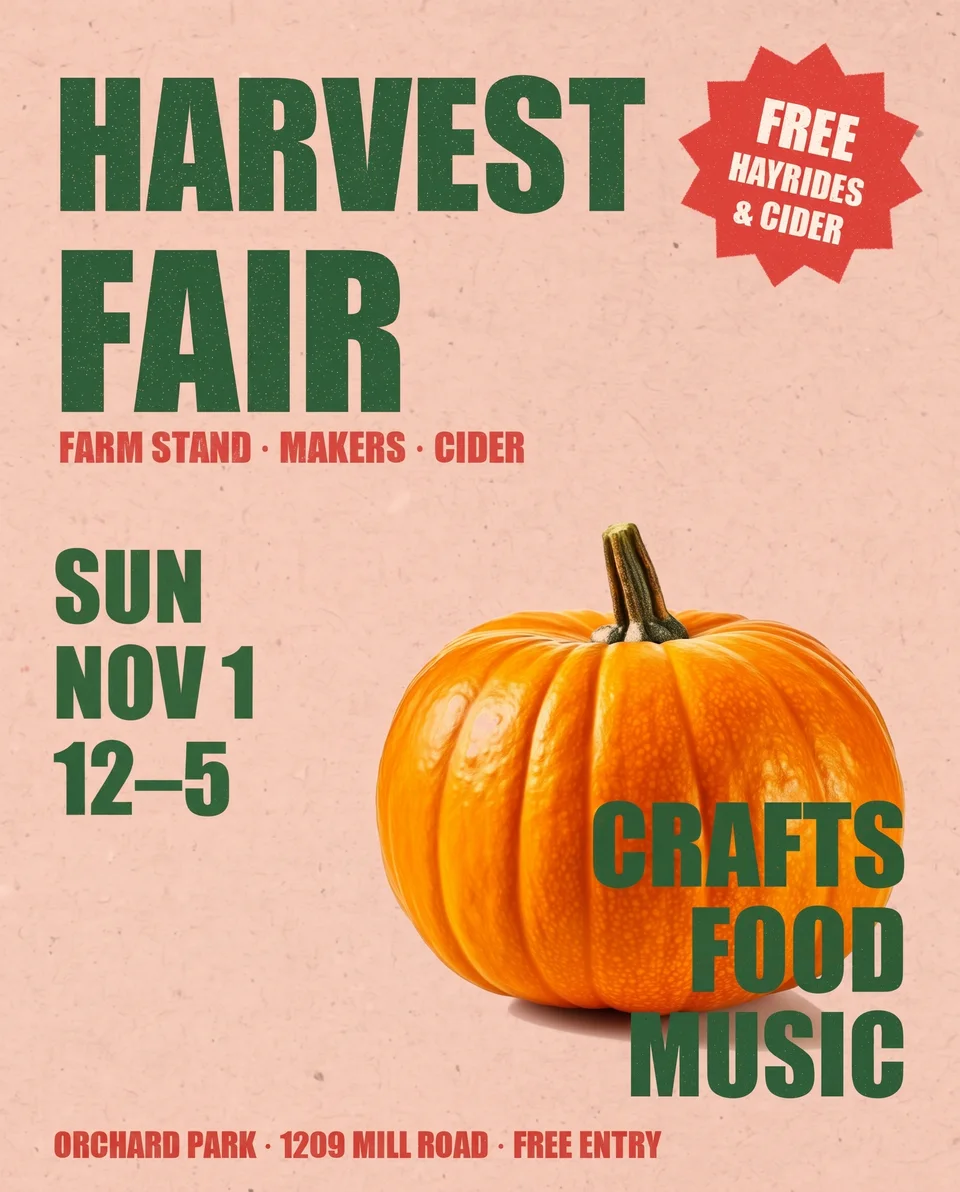
TextImageEdit's result on the same poster looks almost the same, with the same slight loss of print texture in the new lines. On this test there is no visible winner.
Test 2: remove a headline behind a product
30% OFF runs across a dark blue backdrop and partly behind a soda can. Removing it means rebuilding the gradient and droplets without touching the can's label.
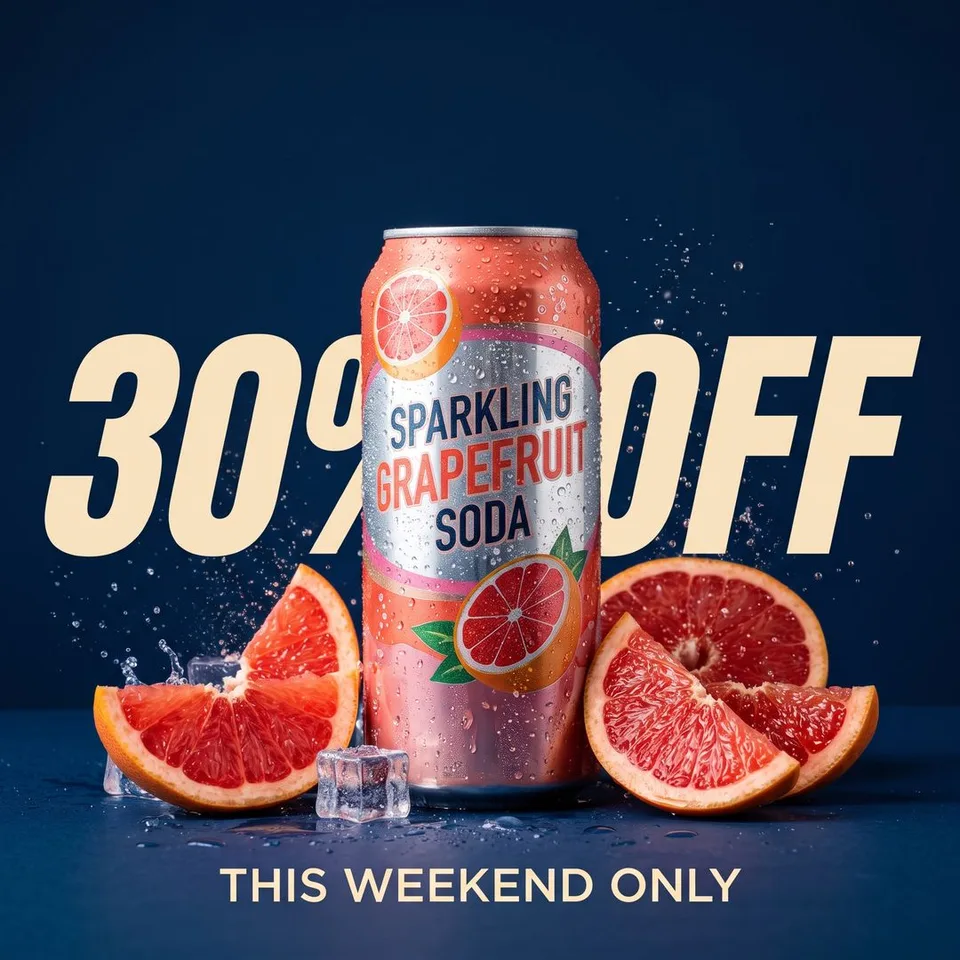
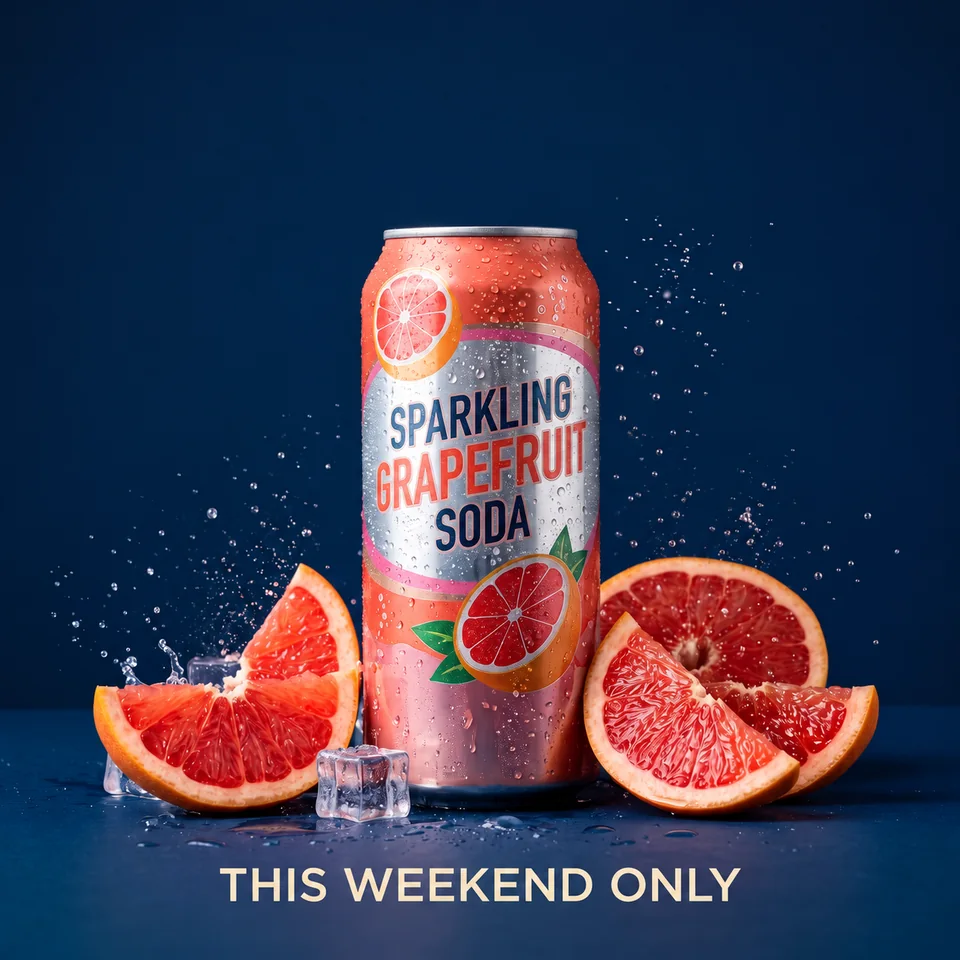
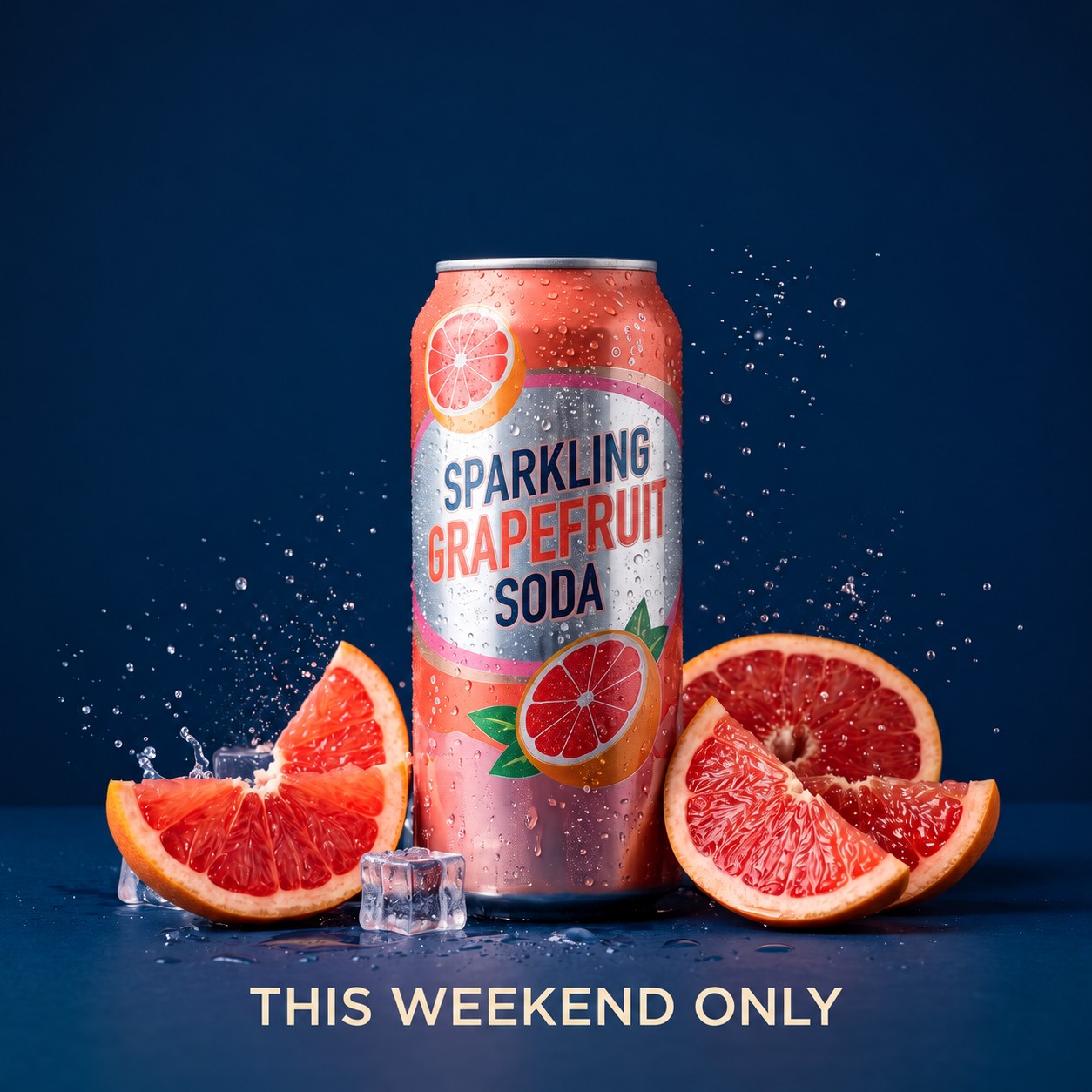
ChatGPT removed both halves of the headline, rebuilt the backdrop with droplets and kept SPARKLING GRAPEFRUIT SODA and THIS WEEKEND ONLY intact. The droplet pattern is redrawn, not copied, so it differs from the original in detail.
TextImageEdit's removal, made by drawing a box around the headline, is shown in our text removal guide. Both tools handled this hard case well; free heal tools did not.
What we measured
We resized each result to the original size and measured how much the image changed outside the edited area: the mean difference per pixel on a 0–255 scale.
| Test | Tool | Output size | Change outside the edit |
|---|---|---|---|
| Poster date (input 1080 × 1350) | ChatGPT | 1122 × 1402 | 4.7 |
| Poster date | TextImageEdit, 2K | 1856 × 2304 | 6.0 |
| Headline removal (input 1080 × 1080) | ChatGPT | 1254 × 1254 | 6.1 |
| Headline removal | TextImageEdit, 2K | 2048 × 2048 | 5.8 |
Two things stand out. Neither tool leaves the rest of the image pixel-identical: both redraw the whole picture, and small details shift. ChatGPT changed less on the poster and TextImageEdit changed less on the soda graphic, so this does not show either tool keeping the background consistently better. The clear difference is output size: TextImageEdit's paid 2K setting returned roughly twice the width and height of ChatGPT's images in this test.
One attempt per tool is a small sample. Results from the same prompt vary between runs for both tools.
How to get better text edits from ChatGPT
- Quote the exact text. Copy the old words as they appear, including line breaks, dashes and capitals, and put both old and new text in quotes.
- Change one thing per message. Ask for the date, check it, then ask for the next change. Several changes at once make mistakes harder to spot.
- Say what must stay. "Keep everything else exactly the same" plus the important elements, such as a logo or product label.
- Proofread every character. Look for dropped spaces, swapped digits and wrong weekdays. October 17, 2026 is a Saturday and November 1 is a Sunday; the model does not check calendars for you.
- Check the size. If you need a large print or a specific pixel size, compare the output dimensions with what you need.
ChatGPT or a dedicated editor?
Use ChatGPT when you already have an account, you make an occasional edit, and you are happy to describe the change in a chat. It handled both of our tests well. Image editing has usage limits that depend on your plan, and OpenAI's image help explains how editing works.
Use TextImageEdit when the task repeats or needs control:
- Separate Original text and Replacement text fields instead of a chat prompt.
- A box you draw for removal, so only that area is rebuilt.
- Translation into several languages from one upload, one result per language.
- A side-by-side compare, Continue editing from the result, and 2K output on purchased credits.
- One free edit for a verified account, then one-time credit packs with no subscription.
Both tools upload your image to a cloud service. Do not use either on documents where a changed date or name could mislead someone, such as receipts, tickets or IDs.
Frequently asked questions
Can ChatGPT change text in a photo?
Yes. Upload the photo in a regular chat and describe the change, quoting the old and new text. ChatGPT returns a new image. Check the spelling, the surrounding scene and the output size before using it.
Does ChatGPT keep the same font?
In our poster test it redrew the new date in a very similar heavy typeface, at the same size and position. It is a visual match drawn by the model, not the original font file, and fine details such as print texture can differ.
Why can't I edit an image in a ChatGPT temporary chat?
When we tried on November 5, 2026, ChatGPT said image editing isn't available in a temporary chat and asked us to use a regular chat. That may change; if you see the same message, start a normal chat and upload the image again.
Is ChatGPT image editing free?
Free accounts can generate and edit images with lower usage limits than paid plans, and limits can change. ChatGPT shows when you reach a limit and when it resets. Check OpenAI's current plan details for your account.
Can ChatGPT remove text from an image?
Yes. In our test it removed a large headline from behind a product and rebuilt the background cleanly. Describe exactly which text to remove and what must stay. For precise control over the area, a box-based tool such as our [text remover](/remove-text-from-image) lets you choose it directly.
Does ChatGPT change the rest of the image?
Slightly. It returns a newly drawn image, so small details such as droplets, texture and colors can shift even when the scene looks the same. In our measurements its changes outside the edit were similar in size to TextImageEdit's.
What about Gemini?
We did not test Gemini in this round. If you compare it, use the same input, quote the same text and judge spelling, the untouched areas and output size the same way.
Sources and method
Tests run November 5, 2026 in the ChatGPT web app, one attempt per prompt, with the default model setting of the account used. TextImageEdit results are the saved cases from November 4, 2026 on the same input files. "Change outside the edit" is the mean absolute RGB difference after resizing each result to the input size, excluding a box around the edited text. TextImageEdit's poster result is slightly taller in proportion than the input, so it was center-cropped to the input's aspect ratio first. Full-size files: ChatGPT date result and removal result.
TextImageEdit is independent of OpenAI. ChatGPT is a trademark of OpenAI.
Try the workflow
Choose a clear image you can edit, prepare the new wording and compare the downloaded result.
Try a dedicated image text editor →