 TextImageEdit
1 free credit on sign-upJPG, PNG or WebP up to 10 MBOne image per edit
To unblur text in an image, upload it to TextImageEdit's Unblur text page and type the words exactly as they should read. The AI redraws only those letters sharper, keeping the font style, color, size and position, and removes blur, compression noise and jagged edges around them. Because you supply the wording, it does not guess unreadable letters, and it cannot reveal text that was deliberately blurred or redacted. One edit uses 1 credit; compare the result before you download it.
Unblur text examples
These are real 2K results from the model and instruction this page uses, on crops of our own fictional graphics that we shrank, blurred and compressed. They are not customer results. Very wide inputs come back in the nearest supported frame, so the background around the text can be extended. Compare the style and surroundings of your own result before you use it.
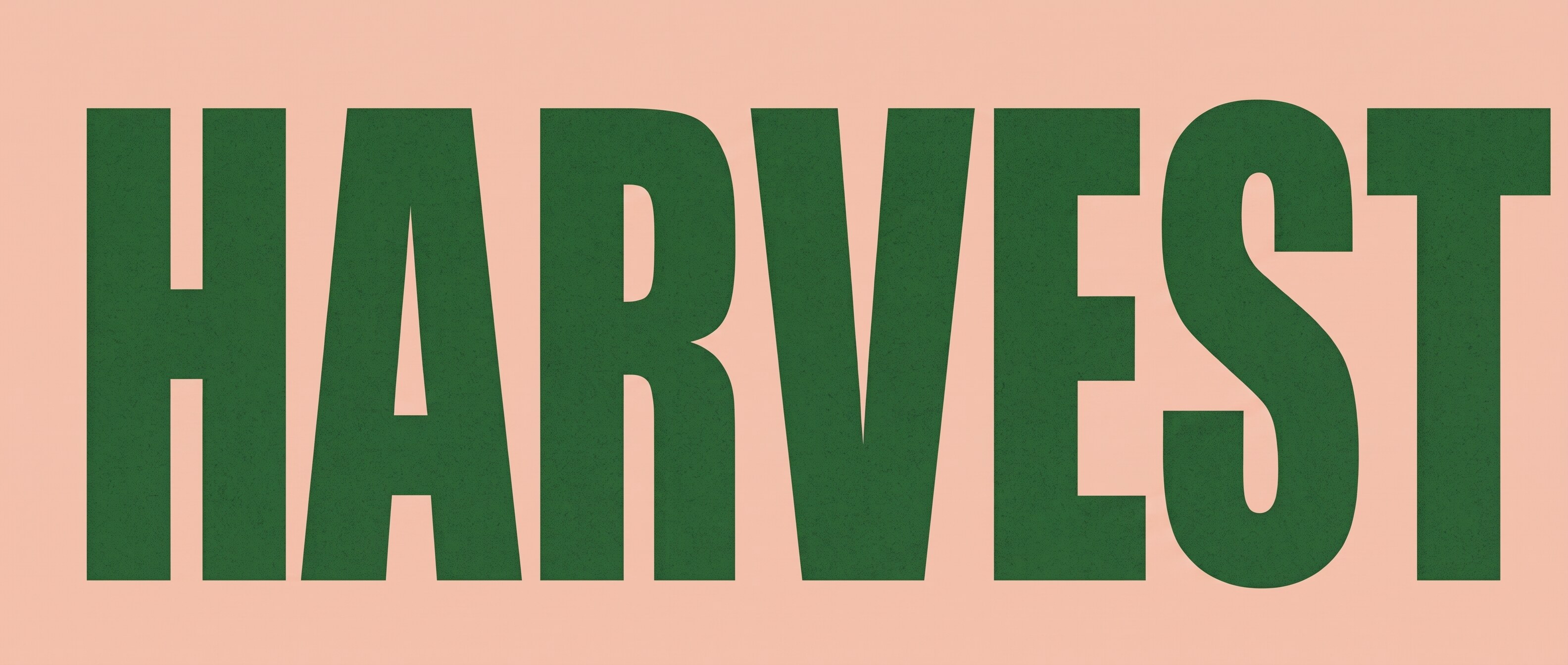
POSTER TITLE · 150 × 42 PX
Sharpen a tiny, blurry poster headline
A 150 × 42 pixel crop of a fair poster headline, blurred and heavily compressed. With HARVEST typed once, the result came back as crisp, heavy condensed capitals in the same green on the same pink paper. The banner is very wide, so the output used the nearest supported 21:9 frame and the background was extended around the word.

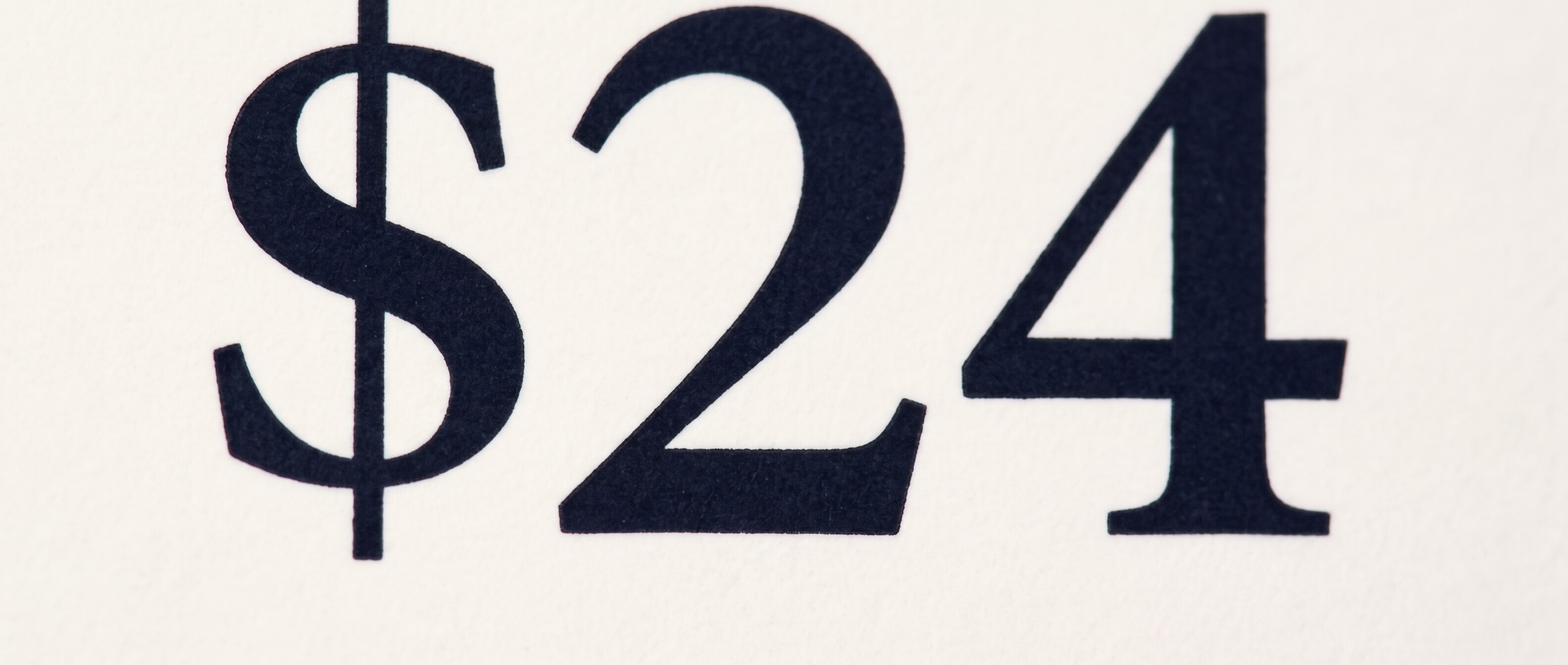
PRICE LABEL · 80 × 37 PX
Redraw a pixelated price in the same serif
An 80 × 37 pixel price from a product graphic, soft and full of JPEG blocks. Typing $24 gave clean navy high-contrast serif numerals that match the original style. The faint blue-grey texture behind the price became plain cream, so check the surroundings as well as the number.

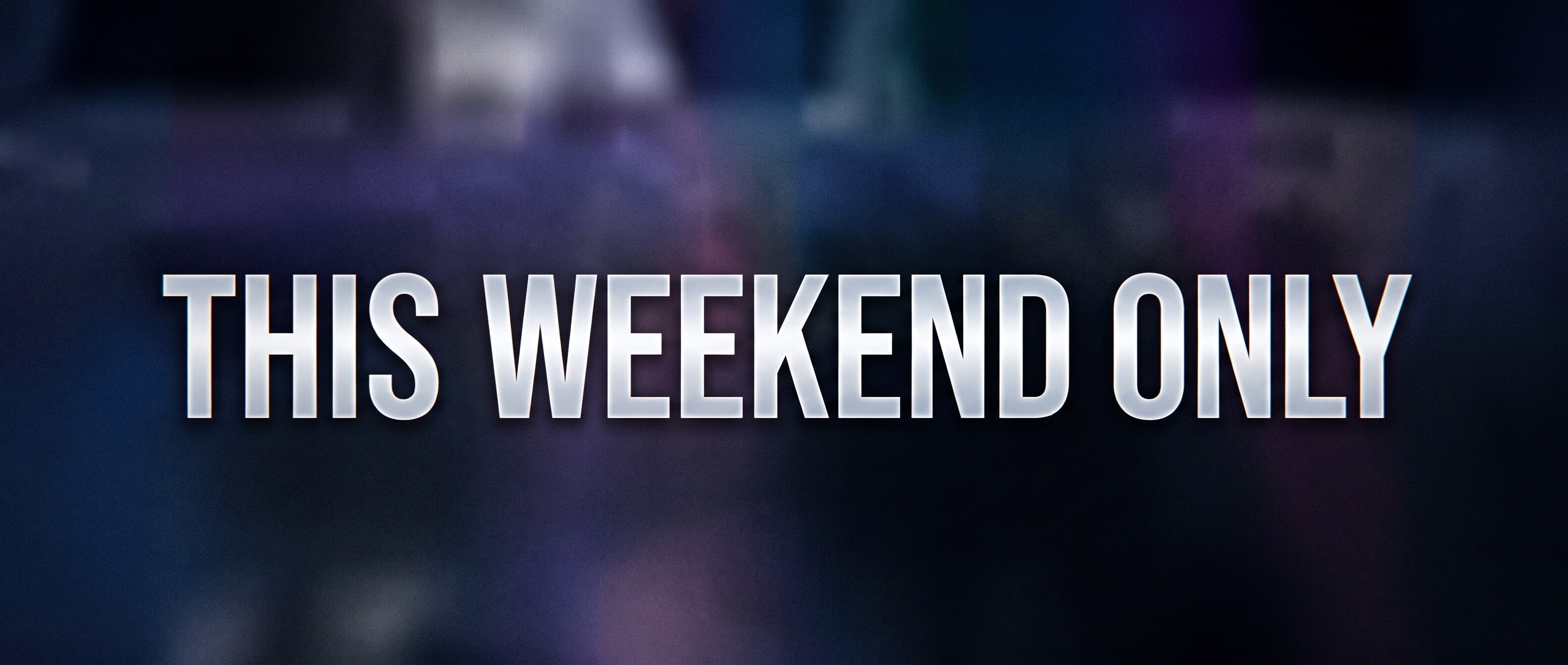
AD TAGLINE · STYLE CHANGED
Sharp words, but a different lettering style
A 160 × 27 pixel tagline from a soda ad. THIS WEEKEND ONLY came back sharp and correctly spelled, but the original rounded cream capitals turned into condensed silver capitals, and the blurry backdrop stayed blurry. This is why you should compare the lettering style, not only the spelling, before using a result.
How this differs from an image upscaler
Most unblur tools sharpen or upscale the whole picture and let the model infer each letter from the blurry pixels. When the text is only slightly soft that works; when it is small or heavily compressed, the model can invent plausible but wrong letters.
Here you type the words, and the model redraws them in the style it sees: weight, color, size, spacing and position. The wording comes from you, so a blurry 8 cannot quietly become a 3. The rest of the image is kept as close to the original as the model allows.
What this editor does
- Best for. Low-resolution banners, titles, labels, signs and screenshots whose wording you already know.
- Accepted input. One JPG, PNG or WebP image, up to 10 MB. Images with a short side under 512 px are enlarged before the edit.
- What you type. The text as it should read. It is used for both the original and the result, so the wording does not change.
- Credits. 1 credit per edit. One free credit on sign-up; email accounts must be verified.
- Not for. Recovering words you cannot read, or text that was blurred, pixelated or redacted on purpose.
One-time credit packs (USD)
- Starter $14.90 · 40 credits
- Pro $26.90 · 100 credits
- Studio $39.90 · 180 credits
How to unblur text in an image
- Upload a JPG, PNG or WebP up to 10 MB. Use the largest copy you have; small images are enlarged automatically before the edit.
- Type the text exactly as it should read, including capitals, accents and punctuation. For several separate lines, sharpen the most important one first.
- Select Sharpen text. Compare the result with the original, check every letter and the area around it, then download.
Before you finish: Type the wording from a reliable source, such as the original design, a document or the sender. The AI follows what you type, not what it can read. Crop away unrelated content around a small banner or label only if you do not need it; the edit keeps the framing you upload.
When it works well, and when it cannot help
It works best on short, prominent text: a title banner, a product label, a sign, a button or a heading in a screenshot. The letter shapes, colors and layout should still be visible, even if the edges are soft.
It cannot recover information that is not there. If you do not know what the text says, it will not read it for you, and it will not undo deliberate blurring, pixelation or redaction in documents, answer sites or screenshots. Do not use it to make an altered document or message look genuine.
FAQ — unblur text in an image
How do I unblur text in an image?
Upload the image, type the text exactly as it should read and select Sharpen text. The AI redraws those letters sharper in the same style and position. Compare the result with the original, check every letter, then download it.
Can AI read and fix blurry text I cannot read?
Not here. This tool sharpens text whose wording you already know. If you cannot read it, an AI that guesses letters can produce confident but wrong text, so check the source of the wording instead, such as the original file or the person who sent it.
Can it unblur text that was blurred or pixelated on purpose?
No. Deliberate blurring, pixelation and redaction remove the information, and this tool does not try to reveal hidden text. That includes blurred answers, censored documents and redacted screenshots.
What is the difference between unblur and upscale?
An upscaler enlarges the whole picture and infers detail from pixels. Unblur text redraws only the words you type, in the style of the original lettering, so the wording stays exactly what you entered.
Will the font and color stay the same?
That is the aim. The model keeps the weight, color, size, spacing and line breaks it sees. Very decorative or handwritten lettering is harder to match, so compare the result with the original before you use it.
Can I unblur text in a screenshot?
Yes, for interface text you can verify, such as a heading, label or button in your own app or website mockup. Do not use it to alter receipts, payments, messages or records that someone will rely on as genuine.
Can I fix blurry handwritten text?
Only when you know the words and the handwriting is still clearly visible. The model redraws the letters in a similar hand, but stroke details can change, so it is not suitable for signatures or documents that must stay authentic.
My image is very small. Will it still work?
Small images are enlarged automatically before the edit, so a 223 × 47 banner is sent at about 2007 × 423 pixels. The result is larger than your upload. Start from the biggest copy you have for the best letter shapes.
Can I sharpen several lines of text at once?
Type the most important line first, check it, then use Continue editing for the next one. Each submission uses one credit, and shorter text is easier to redraw accurately.
Is unblurring text free?
A new verified account gets one free credit, once. It covers one edit at the 1K setting without a card. After that, each edit uses one purchased credit at 2K. Credit packs do not expire and there is no subscription.
What happens if an edit fails?
A failed generation returns its credit automatically. If a task is still processing or its status is unclear, check the status instead of submitting again. A finished result you choose to redo is a new submission.
Can I use the results commercially?
Yes, as long as you own the original image or are allowed to edit it. You can use the edited images in ads, product listings, websites and print.
What can't I edit?
Don't upload work you don't own or have rights to, government IDs, passports, certificates, official or stamped documents, bank statements, receipts, currency, or edits meant to deceive, such as fake quotes or altered chat screenshots. See the Acceptable Use rules for the full list.
Try it on your own image.
Upload the image and type the words exactly as they should read. AI redraws that blurry, pixelated or low-resolution text sharp, in the same style and place, without guessing letters.
Unblur text in an image →