A Photoshop alternative for image text. Change the words. No subscription.
Try one of these image text edits
1 free credit on sign-upJPG, PNG or WebP up to 10 MBFree credit: 1K · Paid credits: 2K
QUICK ANSWER
Quick answer
TextImageEdit is a Photoshop alternative for text editing: replace a date, headline or price in a finished image without opening a PSD or installing a font. Upload a JPG, PNG or WebP, enter the original and replacement words, and download the AI-edited image. Start with one free 1K edit; 40 paid 2K edits cost $14.90 USD as a one-time purchase, before applicable taxes. Choose Photoshop for detailed layers and retouching; choose TextImageEdit for a focused wording update in an image you already have.
Three ways to use this Photoshop alternative.
Correct a poster date, update a thumbnail amount or revise photographed menu text without rebuilding the whole design.
These are our own demonstration images and saved AI edits. They are not results from Photoshop. Review your own output.
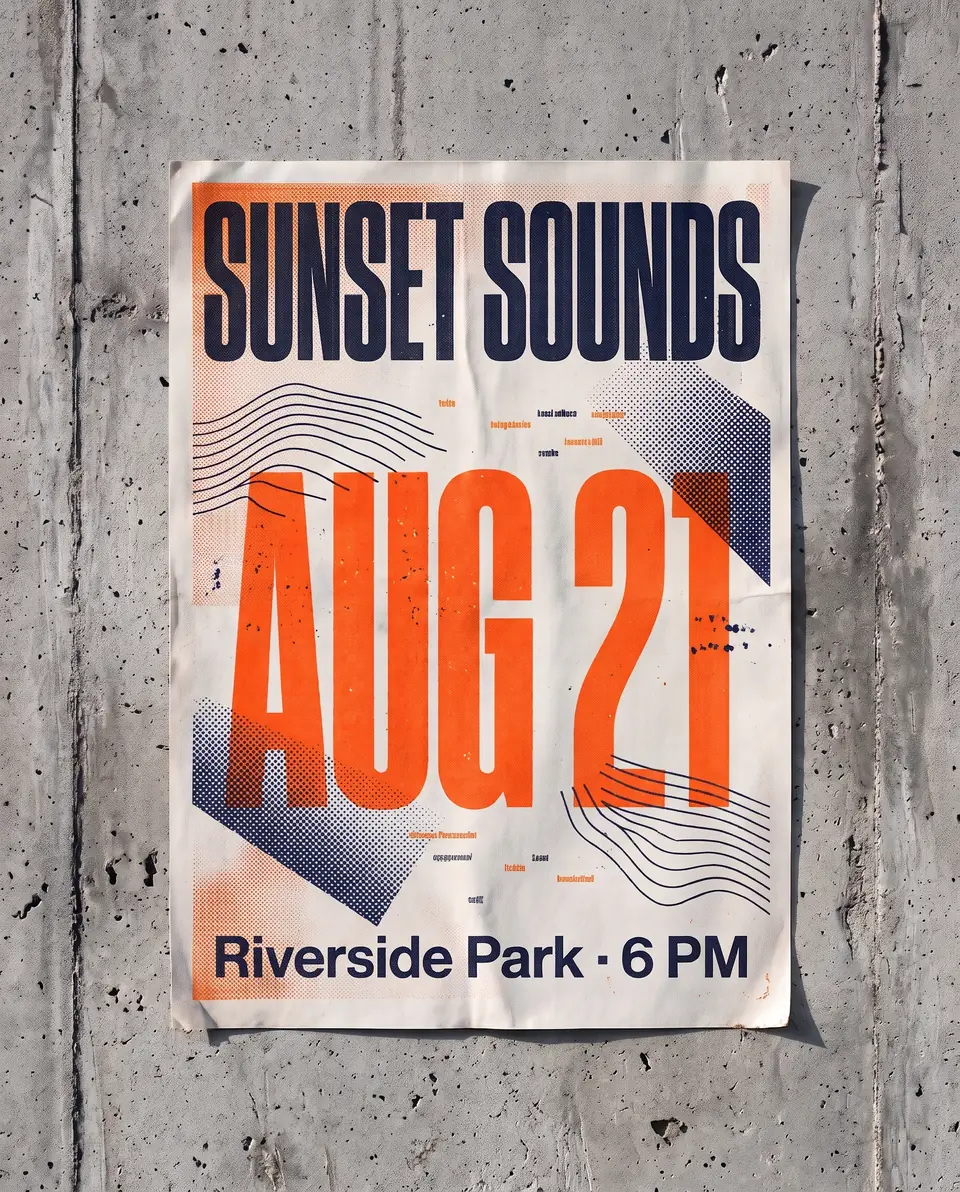
This earlier saved AI demonstration updates a fictional poster from AUG 14 to AUG 21. With an editable poster, revise its Type layer first. With only an export, Photoshop can repair the old date and add new type; TextImageEdit accepts a replacement request. Inspect every digit, the nearby event details and the surrounding artwork before sharing the revised date.
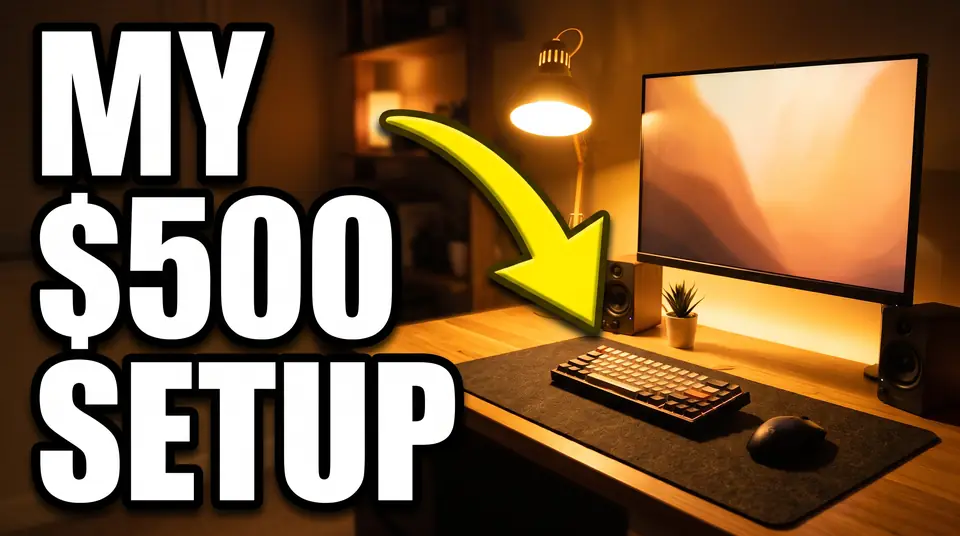
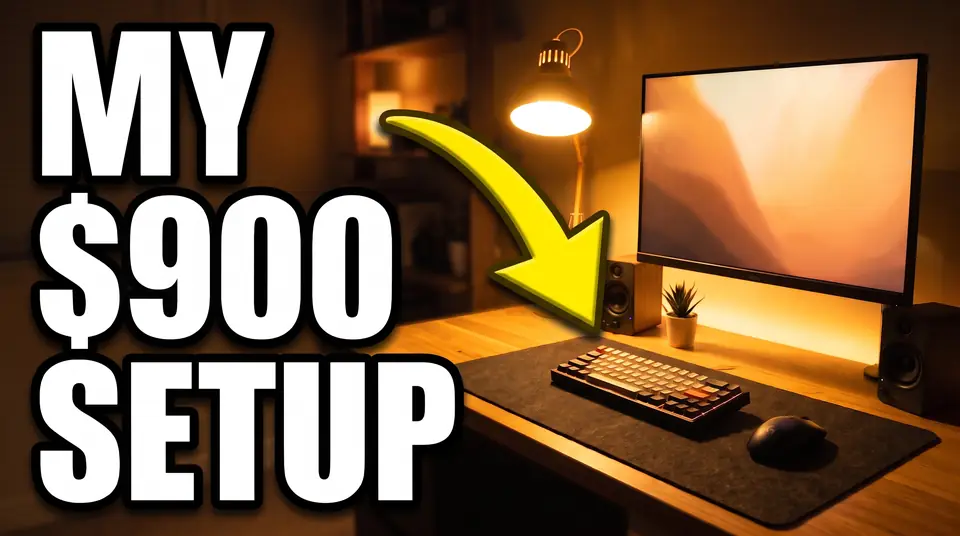
A fictional setup thumbnail changes MY $500 SETUP to MY $900 SETUP in this earlier saved edit. Compare the currency symbol, numeral shapes and spacing at full size, then check readability at thumbnail size. For a controlled headline experiment, inspect other visual changes before attributing performance only to the wording. These files do not establish how a Photoshop version performs.
This fictional chalkboard example changes $4.50 to $4.95. It is an earlier saved AI demonstration, not a new application test or Photoshop output. Check the decimal point, chalk strokes and background texture separately. Photoshop's repair tools and layer masks offer another way to reconstruct the area and position new lettering. Confirm the actual menu price before publishing the image.
$4.50→$4.95
TextImageEdit vs Photoshop: features and pricing
TextImageEdit is an independent product and is not affiliated with or endorsed by Photoshop. This comparison describes documented workflows and our own demonstration edits; it is not a head-to-head performance benchmark. Competitor documentation reviewed 2026-10-31.
Scroll sideways to compare all columns.
TextImageEdit and Photoshop: documented workflow comparison
Feature
TextImageEdit
Photoshop
Subscription and credits
No subscription. $14.90 USD buys 40 credits once — about $0.37 per 2K edit, before tax.
Paid Photoshop plans have recurring billing; check the current plan, region and commitment terms. Source ↗
Generation time
Product estimate: 30–60 seconds. Seven saved server jobs took 46–122 seconds; this is not a guaranteed duration. Test record ↗
Depends on the task: editing a Type layer, repairing pixels and generating content involve different steps. Source ↗
Starting file
JPG, PNG or WebP up to 10 MB; no layered source required.
Editable documents or flattened images; Content-Aware Fill supports image repair. Source ↗
Change existing words
Enter the original and replacement wording, generate and review the image.
Find and Replace updates visible editable Type layers. Flattened letters need a different workflow. Source ↗
Font matching
Uses visible lettering as a reference; no font file upload or exact-match guarantee.
Match Font suggests similar fonts for a selected image region. Source ↗
Masks and layout
Produces an image; no reusable text layers or layer masks.
Layer masks control which parts of a layer are visible, alongside editable design elements. Source ↗
AI and image repair
A dedicated generation request for image-text replacement.
Offers retouching and generative AI tools; it is not limited to manual editing. Source ↗
Browser access
Upload, edit, review and download in the browser.
Photoshop on the web supports editing in non-mobile browsers; native mobile apps are separate. Source ↗
Free edit and output
One free verified-account credit at 1K; purchased credits use 2K. One-time packs.
Check current Photoshop plans or trial terms for your region and account. Source ↗
Working file
Keep the original and generated image; another submitted edit is another request.
Save a layer-preserving master such as PSD to retain layers, effects and masks. Source ↗
Use TextImageEdit when the finished image needs new wording
A date correction, revised thumbnail amount or updated photographed menu can start with the image you have. TextImageEdit fits a request you can state as existing wording and replacement wording, then inspect as a finished image. You do not need to locate a PSD or supply a font file.
This is useful when the next deliverable is an image rather than a reusable design. Keep the source, choose clear lettering and review the entire result. Similar wording length can make comparison simpler, but it does not guarantee unchanged spacing or background detail.
An existing Type layer gives you a direct route to a correction. Photoshop also suits work that needs masks, several layers, careful background repair or repeated typography and layout adjustments. Keep a layer-preserving master when the next revision needs editable text.
An absent PSD does not rule Photoshop out. Flattened text can be removed or repaired and new type added. Rasterized lettering is different from editable type: Find and Replace cannot simply retype those pixels. Decide whether reconstructing editable elements is worth the work for this project.
Upload one permitted JPG, PNG or WebP up to 10 MB, or load a saved example.
Enter the wording visible in the image and the exact replacement, including punctuation and currency symbols.
Generate, compare with Show original, and inspect the downloaded image at full size and its intended display size.
The honest trade-off: control, revision and review
Photoshop includes AI, so this choice is not a simple manual-versus-AI comparison. TextImageEdit provides a focused replacement request; Photoshop provides broader editing controls. Our saved examples illustrate review tasks, not measured speed or quality advantages over Photoshop.
Count the tools you already have, review time and additional attempts. Each TextImageEdit replacement request uses one credit; translation uses one per selected language. Failed generations return credits. Another edit after a completed result is a new request. Current packs appear below; compare Adobe's current terms rather than a fixed subscription quote.
One-time credit packs (USD)
Starter $14.90 · 40 credits
Pro $26.90 · 100 credits
Studio $39.90 · 180 credits
The free credit uses 1K; purchased credits use 2K. Applicable taxes are shown at checkout.See pricing and details →
Can I correct a finished poster without the original PSD?+
Yes. TextImageEdit accepts a supported flattened image. Photoshop can also repair flattened lettering and add replacement type. An editable source remains useful when you need precise typography, multiple changes or a working file for future revisions.
Does Photoshop Find and Replace work on text inside a JPG?+
It operates on visible editable Type layers, not lettering flattened into image pixels. For a JPG, repair the original lettering and recreate the text, or use an image-generation workflow. Saving a JPG as PSD does not restore its original text layers.
Which workflow fits a thumbnail headline or price update?+
Use an existing Type layer when exact brand typography and placement matter. Try a generated replacement for a finished thumbnail when you can review the output. Check every digit and currency symbol, plus readability at the size viewers actually see.
Will the result use the exact original font?+
No exact-font guarantee is made. Photoshop Match Font suggests visually similar fonts; TextImageEdit uses the visible lettering as a reference. Compare character shapes and spacing, and keep the original authorized font and text layer for strict brand requirements.
Does TextImageEdit provide Photoshop-style masks?+
No. The downloaded result is an image, without editable layer masks. Area selection on our poster editor guides a replacement request; it is not a hard mask that locks every pixel outside the rectangle. Choose layer controls when that distinction matters.
Can I replace lettering on chalkboards or textured surfaces?+
You can try a clear, permitted image and review the result. Check the surface texture, perspective, shadows and nearby detail as well as the words. Photoshop offers retouching and masking controls for these tasks. Neither workflow should be assumed to reconstruct an unseen background exactly.
Does Photoshop have a browser version?+
Yes. Adobe documents editing in Photoshop on the web using non-mobile browsers. Mobile browser viewing and commenting are different from editing, and native mobile apps are separate products. Check the relevant device requirements and account plan.
Can I try TextImageEdit before buying credits?+
A verified account receives one free credit for a 1K edit with a downloadable result and no added watermark. Purchased credits use 2K. The setting does not promise exact output dimensions or print suitability; inspect the actual download.
What should I inspect before exporting or publishing?+
Proof words, dates, amounts and punctuation. Check letter shapes, spacing, background repairs and unintended changes across the whole image. Confirm actual dimensions and destination requirements. Preserve the original and any editable master, and use only images you are permitted to upload and change.
Adobe file formats — Keeping layers, effects and masks in a working file.
Photoshop plans — Check current regional terms rather than assuming a fixed price.
Compare with an AI assistant
How should I compare Photoshop and a dedicated AI image text editor for a finished poster, thumbnail amount or photographed lettering, including editable layers, font matching, masks, browser access, costs and export checks?
Read this page as context: https://textimageedit.com/photoshop-alternative
If you cannot access the page, say so rather than guessing its content.
The question includes this page's link. If it is not filled in, copy and paste it.
 TextImageEdit