 TextImageEdit
2026-10-29 · TextImageEdit
Four real image text editing tests: results and limits
See four before-and-after model tests on a banner, product graphic, fictional web mockup and translated promotion, including a spacing error.
These four examples show actual image outputs from our current image model, tested on fictional images we created for demonstration. Three requests replaced text and one translated the text into Spanish. The results are examples, not a guarantee that every edit will work the same way.
How we tested
We submitted each source image directly to the current image model with the editor's pinned instructions and a 2K setting. The public pictures below are reduced-size previews; the original output dimensions differed from their source images. These were direct model requests, not demonstrations of sign-in, credits or downloading through the website. We inspected the resulting text and images manually; we did not measure pixel preservation or test a statistically representative sample.
A real editing workflow should also verify that the information is accurate, that the source can be used, and that the downloaded file meets the destination's specifications.
Event banner: a missing space
We requested THIS FRIDAY → NEXT FRIDAY on a fictional community banner. The generated result reads NEXTFRIDAY, without the requested space. The banner texture and composition were redrawn as part of the generated image; compare the output rather than assuming the rest is identical. The missing space makes this a useful example of why proofreading matters.
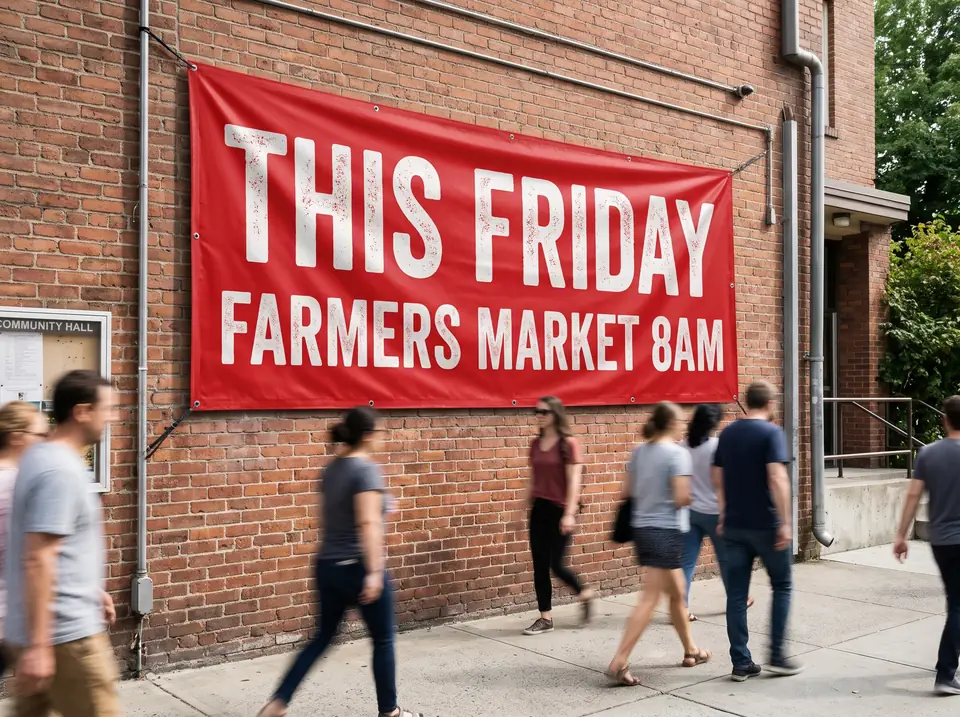
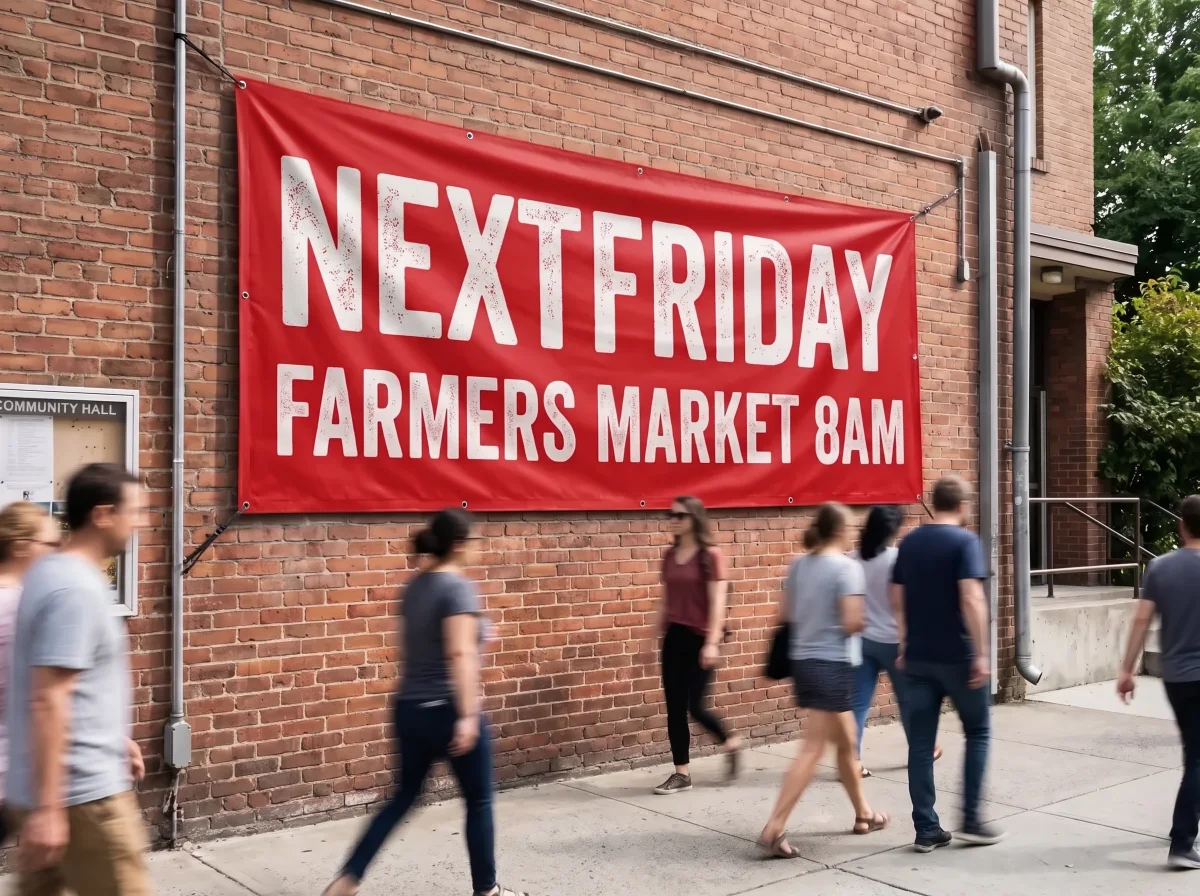
Use the photo text editor for photographed signs and inspect words, spacing, reflections and background details before publishing.
Product badge: update a discount
On a fictional product graphic, we requested 40% → 55%. The output visibly shows 55% OFF. The result is an AI-generated image and should not be used as evidence of an actual offer. For real promotions, confirm that the discount matches the listing, checkout and campaign terms.
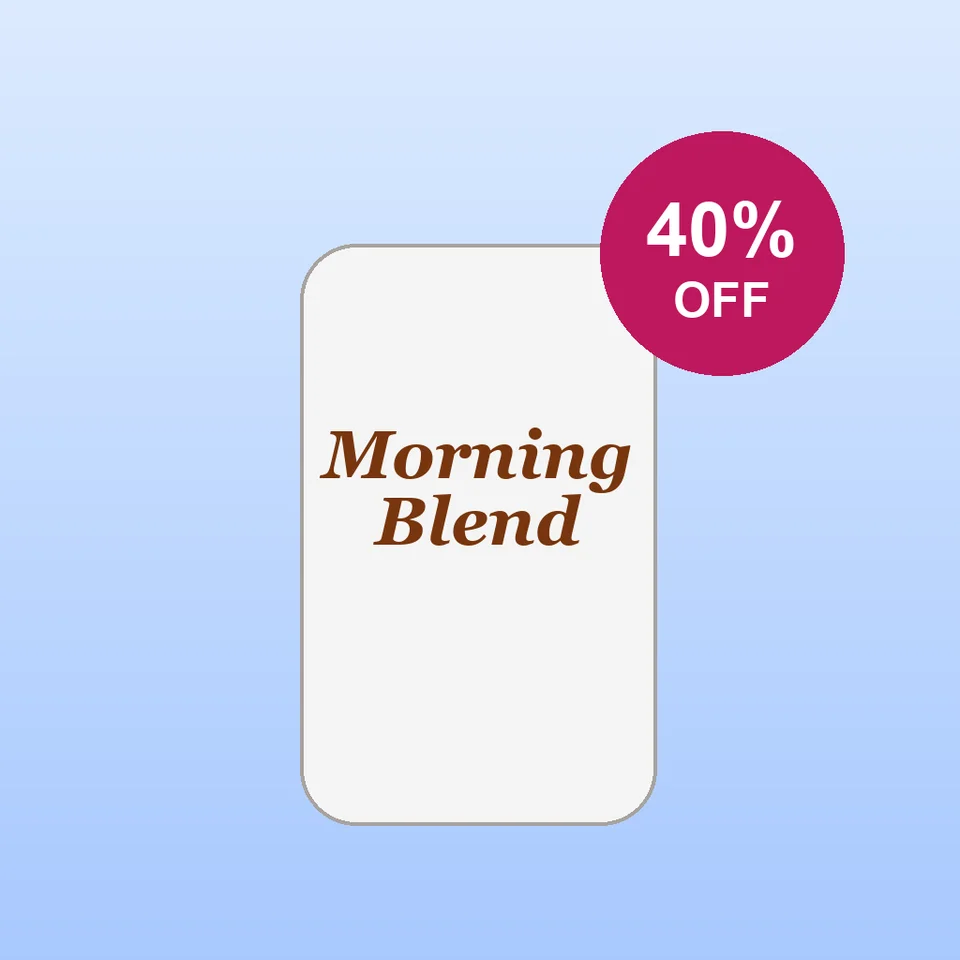
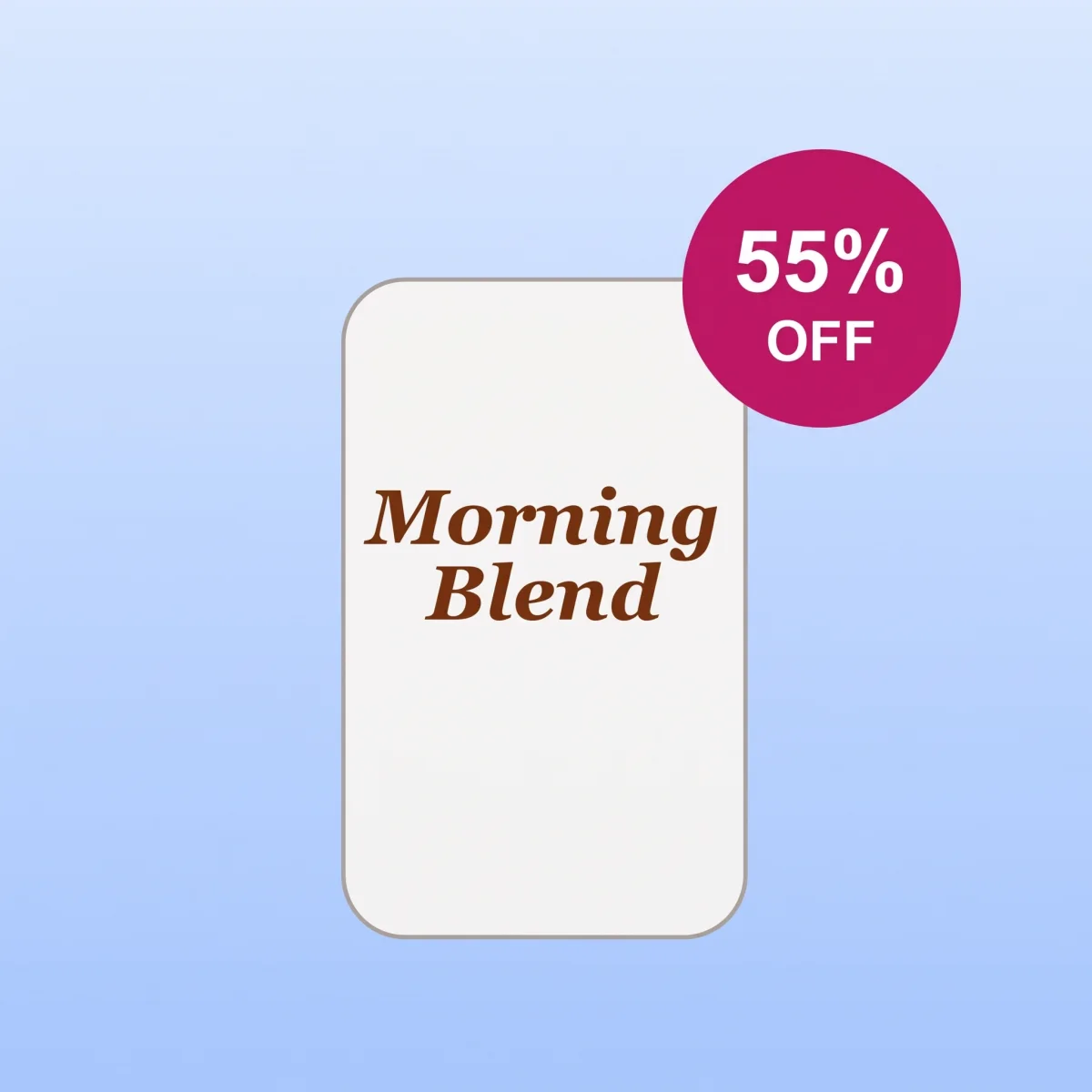
See the product photo editor for the workflow and review checklist.
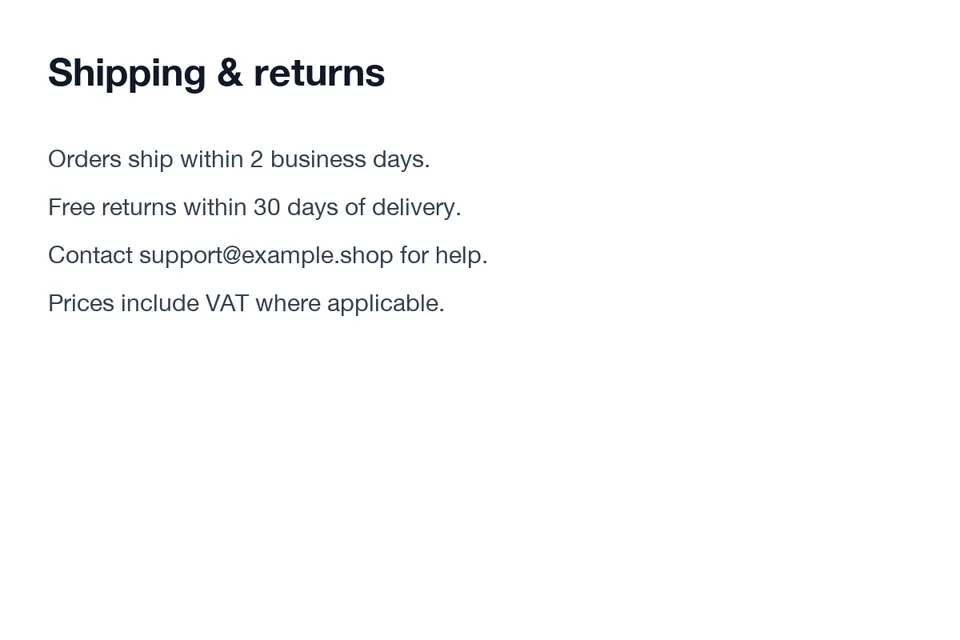
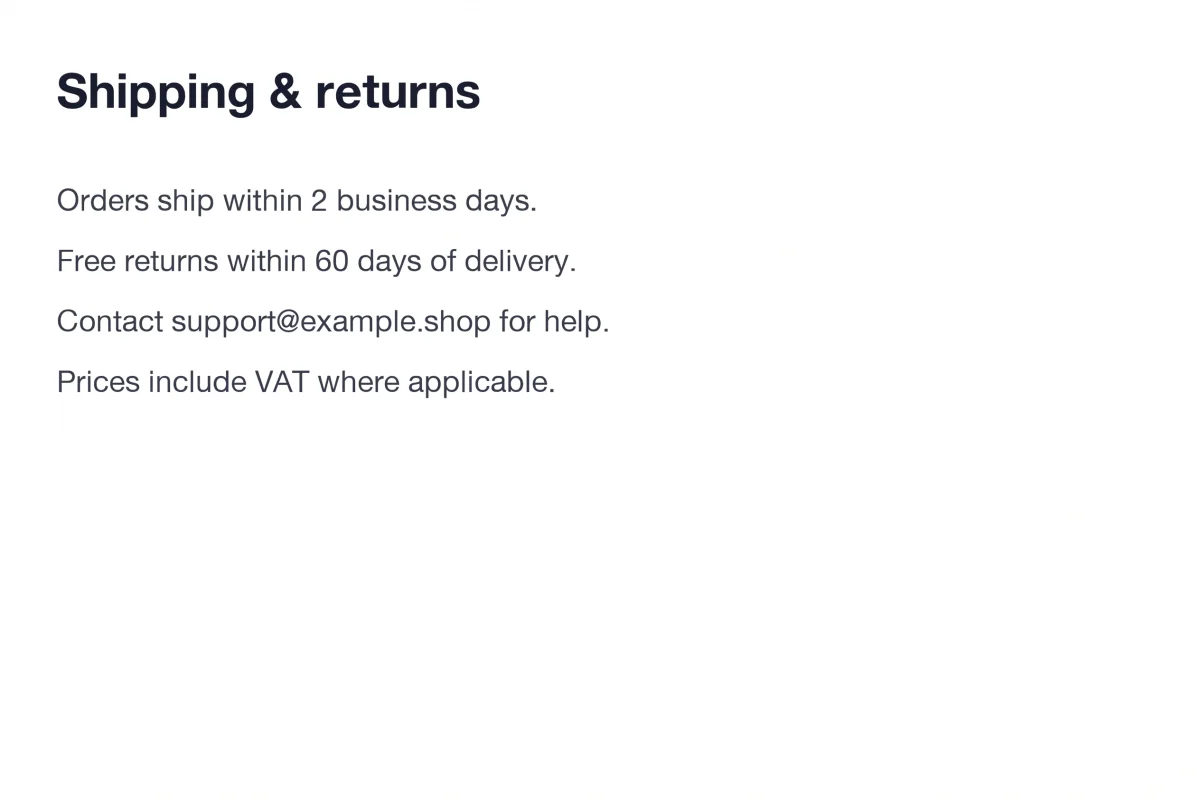
Website mockup: update a return period
On a fictional shipping-and-returns mockup, the requested change was 30 days → 60 days. The output shows 60 days in the sentence. This is a demonstration graphic, not a real store policy; do not use an edited screenshot to misrepresent a real service or transaction. Output dimensions and rendering can change.
See the screenshot editing guide for appropriate use and more review steps.
Product promotion: translate visible text
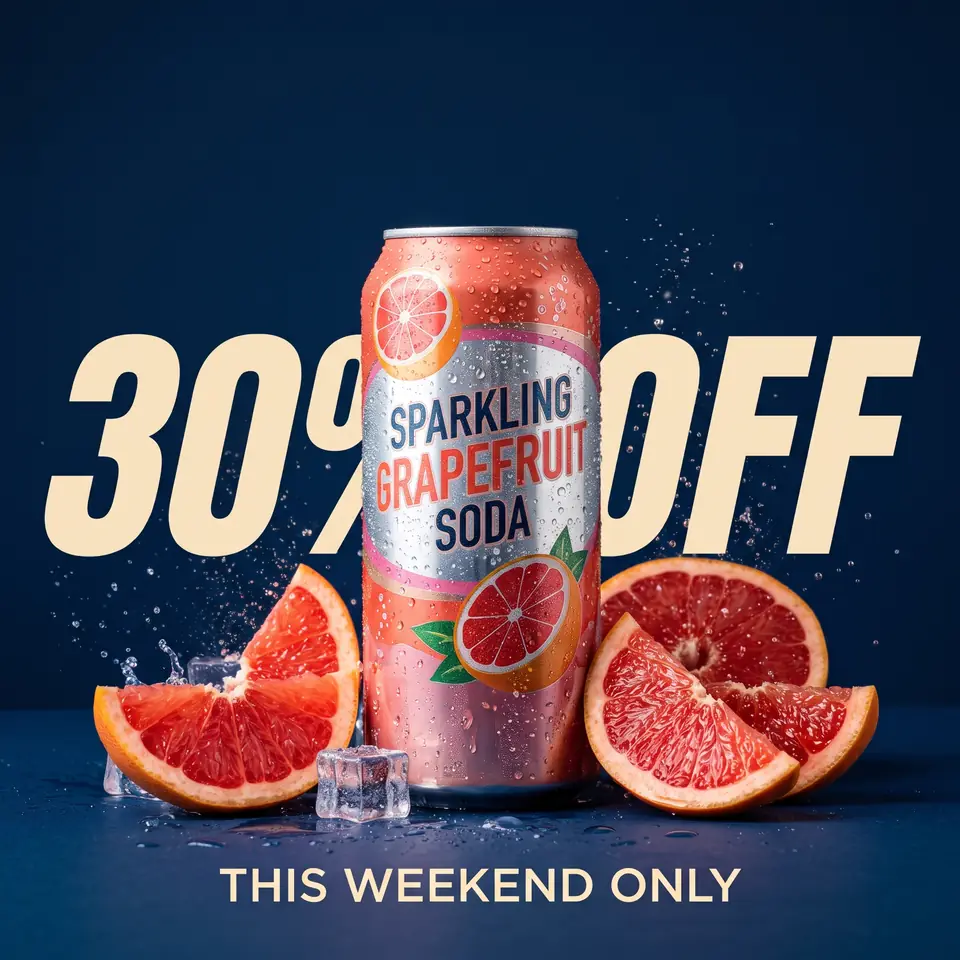
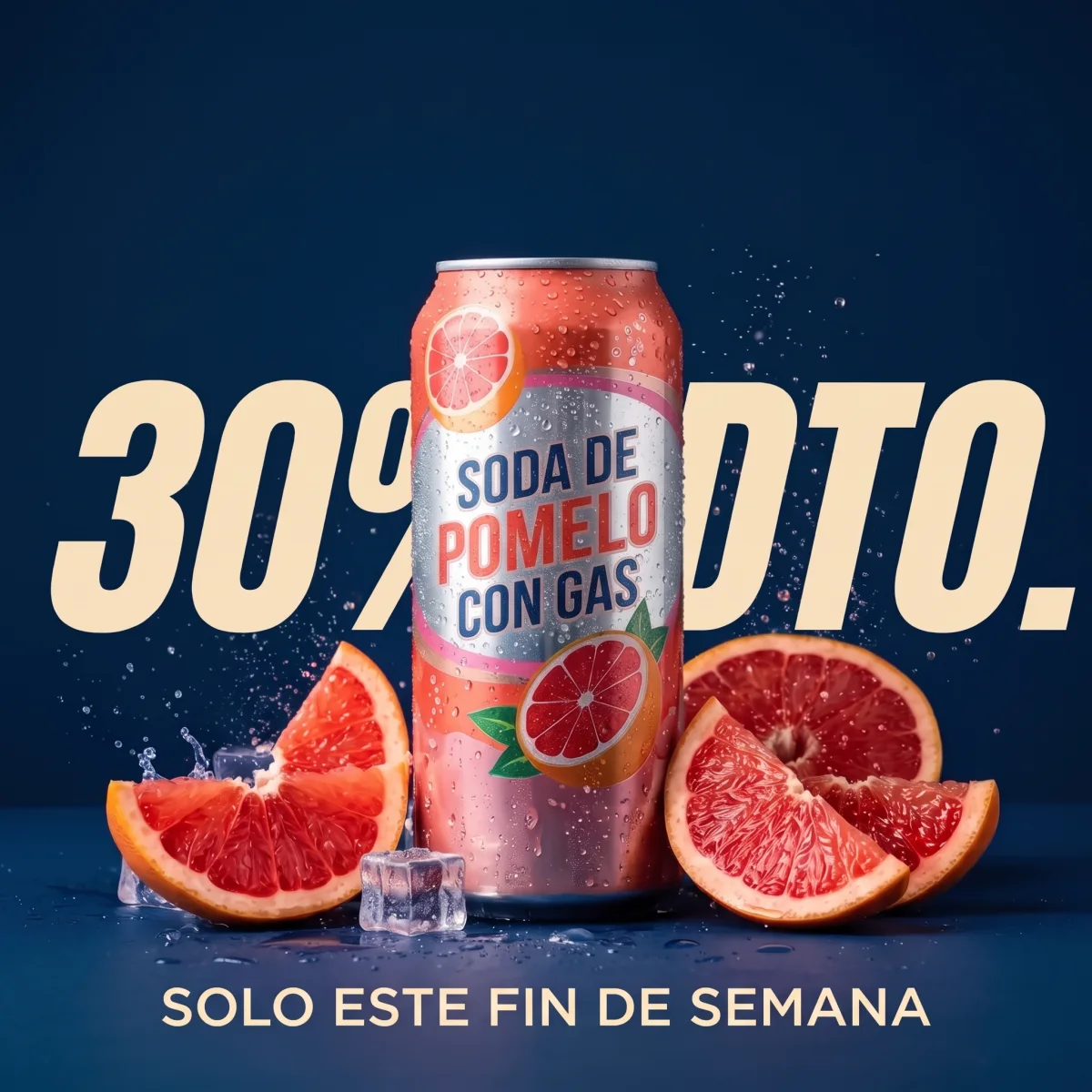
We asked for the fictional grapefruit promotion to be translated into Spanish. The generated headline changes THIS WEEKEND ONLY to SOLO ESTE FIN DE SEMANA; other visible text on the can and promotion is translated as well. Wording, layout and regional terminology can vary, so ask a fluent speaker to check the actual image before publishing.
The image translator handles one target language per image submission. The product translation guide explains how to review prices, wording and required product information.
What to take away
Use the clearest source image, enter complete original wording and keep the new text close in length where space is tight. Check spelling, punctuation, numbers and the surrounding image. A rendered output is not a layered design file, and its dimensions, encoding and visual details can differ from the source. For precise brand typography or regulated copy, return to the editable original and get a human review.