 TextImageEdit
Tool comparisons
Fotor vs TextImageEdit: Edit Prices, Labels and UI Text
TextImageEdit lets you replace a price, product name or button label by entering the old and new wording. Fotor's Image Text Editor detects clickable text regions and offers both manual typography adjustments and prompt-based changes.
Our mug and tea examples are saved application tests on fictional artwork. The dashboard is an earlier saved AI demonstration. They show our results, not Fotor outputs or a controlled comparison between the tools.
Pick the right text-editing tool
Fotor's Image Text Editor is more than a caption tool. Its page describes detection, existing-word replacement, background reconstruction and font, size, color and position controls. When detection misses a word, it suggests a prompt-based request.
Keep that workflow separate from adding a caption over an image. Fotor also lists a separate Image to Layer tool; its existence does not establish that Image Text Editor exports editable PSD projects.
In TextImageEdit, upload a JPG, PNG or WebP up to 10 MB, enter the complete original phrase and replacement, then generate. You receive an image to compare and download. If your brief needs independent text objects or a redesigned layout, start with the editable source instead.
Update a displayed product price
Our fictional stoneware-mug promotion changes $24 → $29. This saved application test is available on the Fotor alternative page, with its source and downloaded result.
For TextImageEdit, enter both values with the dollar sign. After generation, read the full price first, then inspect its spacing, the smaller product headline and the mug's edges and shadows.
In Fotor, the documented route is to upload the image, select the highlighted price and enter the replacement. Use its typography controls if you want to adjust the text yourself. A prompt provides another route when detection is incomplete.
The picture and the store remain separate: changing a displayed price does not update the checkout price. Match the final promotion to the real offer before publishing.
Explore a new name on a packaging design
The tea-tin mockup changes LEMON VERBENA → GINGER MINT. This is fictional packaging artwork used to explore a design, not a claim about a real product's ingredients.
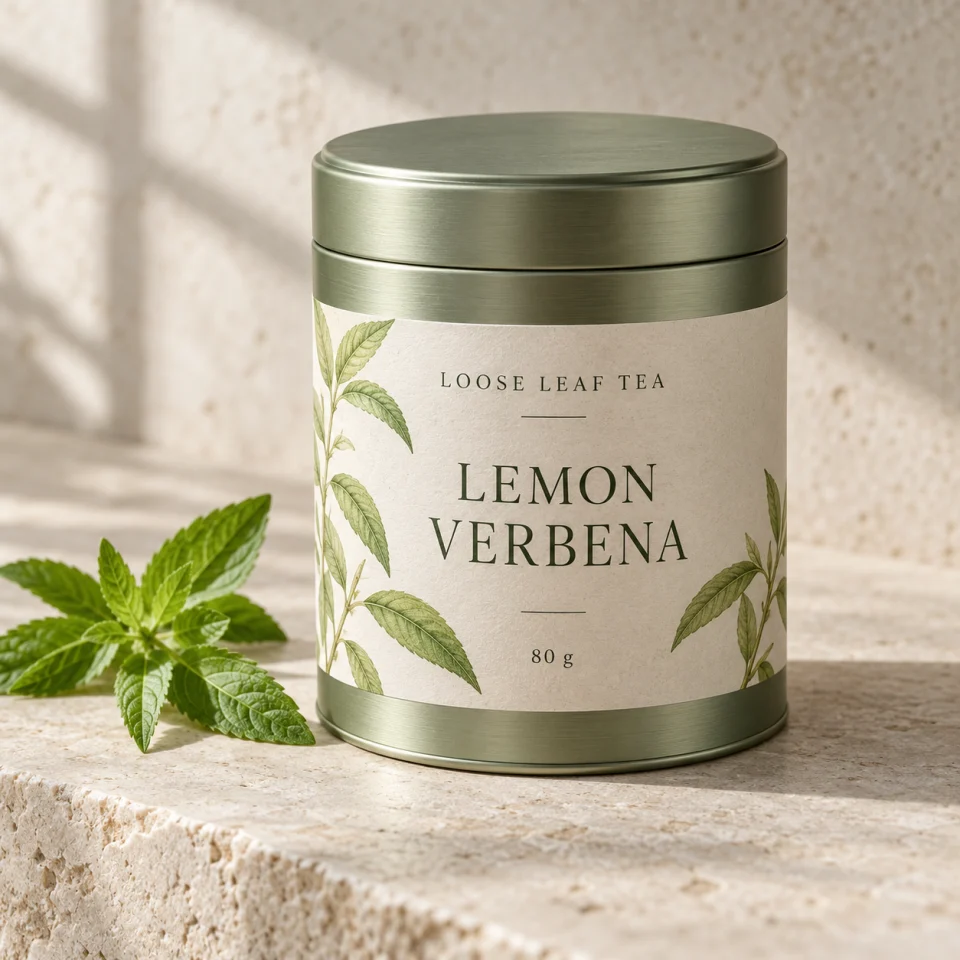
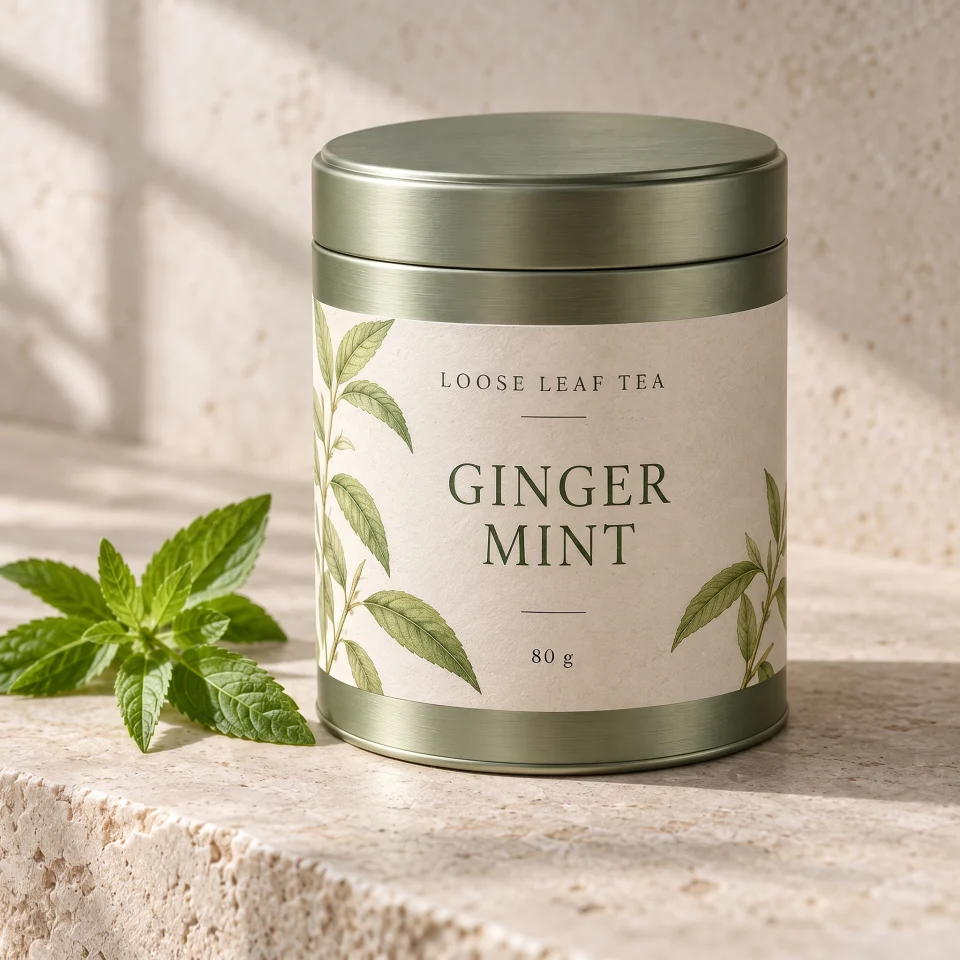
These 960 × 960 previews show our source and saved application result. Inspect the full source and downloaded result. They are not Fotor outputs.
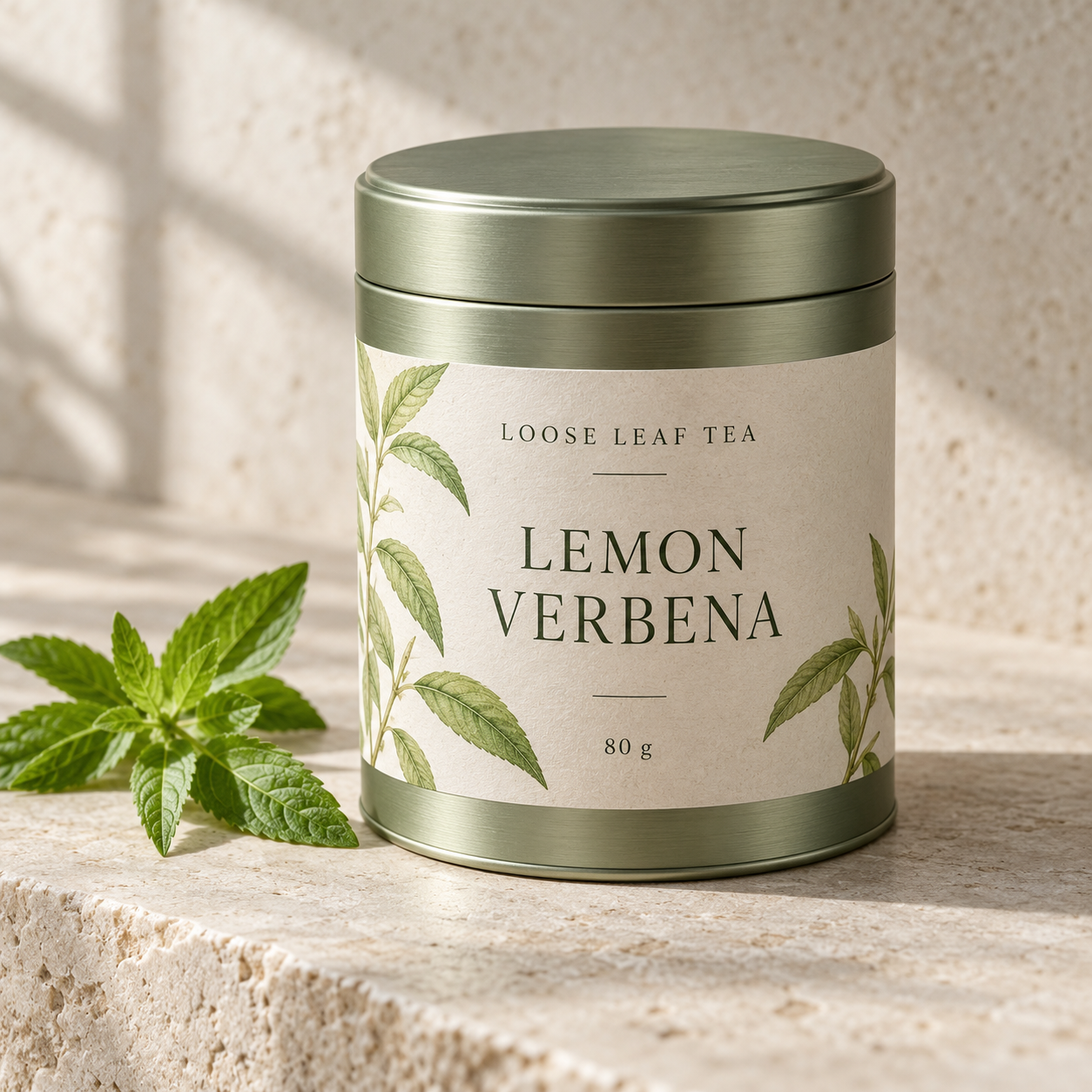
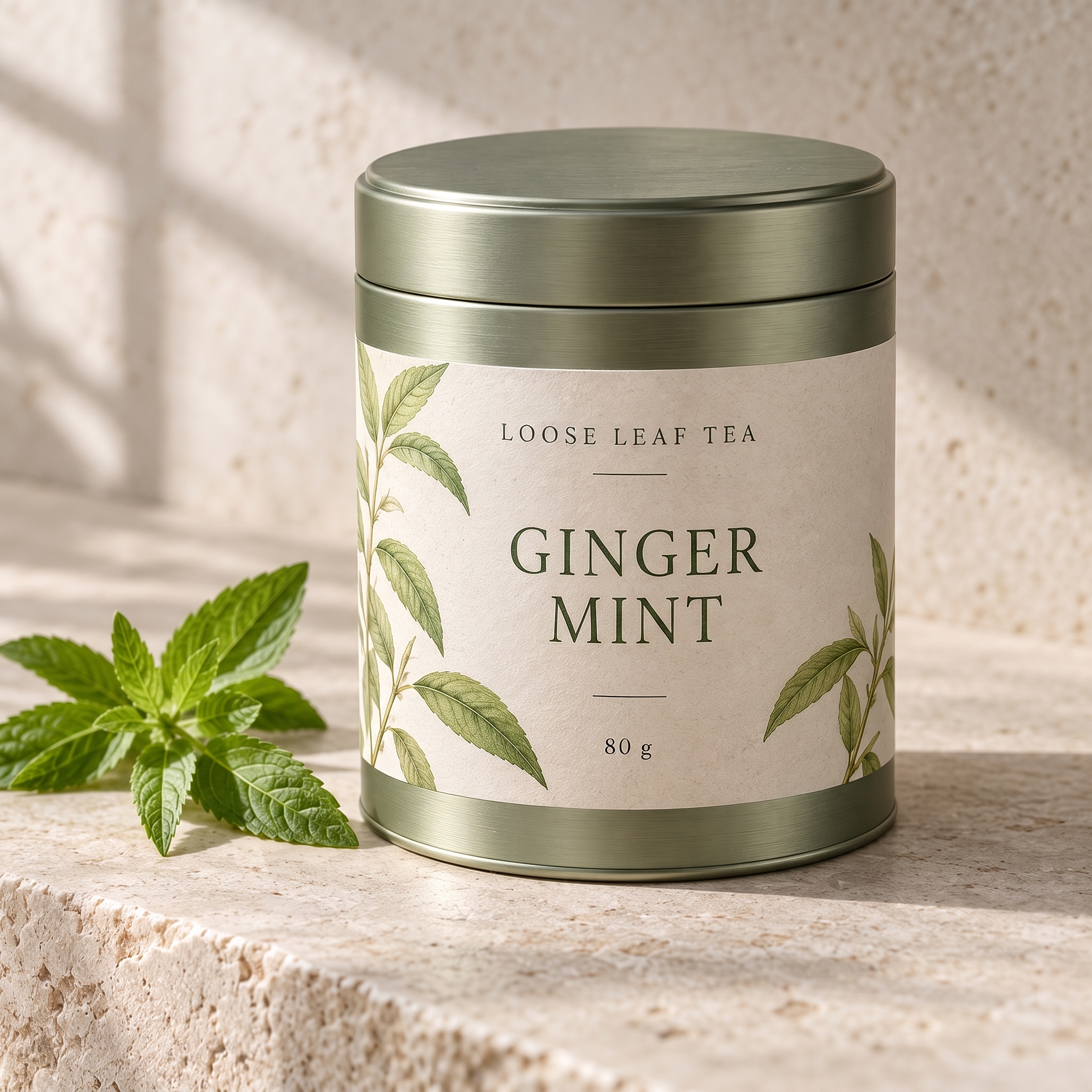
Read the new name, then compare its line breaks and distance from the small 80 g line. Inspect the leaf illustrations, paper texture, rim and lighting separately.
TextImageEdit takes the old and new name directly. Fotor gives you detected regions and manual controls as well as a prompt route. For a final production label, retain the approved editable artwork and verify every product detail. A generated image does not replace the source layout or make its claims accurate.
Use the product-image editor for a permitted mockup, or read the same-font guide when letter shape and spacing need closer review.
Rename a dashboard button
The fictional dashboard example changes Create report → Build report. It is an earlier saved AI demonstration, distinct from the mug and tea application tests.
Start with the complete button label. A short word such as “Create” may appear elsewhere; inspect every matching occurrence after the edit. Our comparison editor does not provide a manual area selector, so do not assume a phrase-only request precisely identifies one of several identical labels.
For Fotor, inspect the highlighted region before typing. Its detection FAQ identifies small lettering, decorative fonts and text blending into a complex background as difficult cases, and recommends trying a prompt.
Review button padding, baseline, icons and other dashboard labels. The available previews have slightly different dimensions, so inspect the actual download too. A changed screenshot does not change the application. Capture the current interface when documentation needs to reflect a real UI update.
Recover from missed words without guessing
Use the clearest original image available. Tiny text or repeated compression can make both recognition and generation less dependable. Converting a blurry JPG to PNG does not recover detail that is already missing.
| What went wrong | Next check |
|---|---|
| A text region is missing | In Fotor, try its documented prompt route; in our editor, confirm the full original wording and source clarity |
| The wrong label changed | Inspect all repeated wording and reconsider whether the source design is the better route |
| The replacement looks crowded | Check line length, wrapping, spacing and the available layout |
| The font seems close but wrong | Compare letter shapes, weight and baseline with nearby original text |
| The output looks generally correct | Read every requested character and inspect the surrounding image |
Keep source and result together. Neither automatic matching nor manual font selection proves the exact original font or guarantees unchanged neighboring pixels.
Separate membership benefits from AI credits
The Fotor pricing page showed Pro at US$39.99 billed yearly, displayed as US$3.33 per month, on November 1, 2026. This is an annual offer, not a monthly payment or a price per text edit. Check the current offer for your location and billing period.
Fotor's current membership-and-credit explanation treats editing benefits and AI credit budgets separately. An active membership does not mean unlimited AI use, and buying credits alone does not confer every premium editing benefit.
Fotor also documents one-time AI credit packs. Check the account and task conditions rather than assuming a subscription is mandatory or every account has the same purchase options. Its general credit table does not establish a specific Text Grab charge.
TextImageEdit's one-time packs fund generation. A verified account receives one free 1K credit; purchased credits use 2K. A replacement request uses one credit, and translation uses one per selected language. Failed generations return credits. Another edit after a completed result uses another credit.
Our product estimate is 30–60 seconds, while seven saved server jobs took 46–122 seconds. Neither guarantees your duration. Compare the cost and effort of an approved image, including review and revisions.
Check the download and the data-handling terms
Fotor's download guidance distinguishes editing workflows and conditions tied to features or assets. Check the selected tool's export options rather than transferring a general plan's HD or format claims to every operation.
For either service, inspect actual dimensions, file format and text sharpness. TextImageEdit delivers an image, not independent editable layers. A quality tier does not by itself certify print size or preserve the input dimensions.
Fotor's privacy policy describes AI server storage and applicable third-party model processing. Review access and deletion controls for sensitive assets. TextImageEdit also uses online generation; read our policy before uploading confidential material.
Other documented editing routes
EditText.ai describes original/replacement fields and adding a line detection missed, with PNG downloads. Reword Image publishes a direct text-replacement workflow; its output-size FAQ cautions that downloads can be downscaled. These services have their own controls and allowances.
For editable design work, see our Canva comparison. For manual repair and a retained PSD master, see the Photopea walkthrough.
Frequently asked questions
Does Fotor actually replace existing image text?
Yes. Its Image Text Editor describes detected, clickable text regions, replacement wording and background reconstruction. That is different from adding a new caption. TextImageEdit also replaces existing words, using explicit original and replacement fields.
Which editor lets me adjust the font and position?
Fotor advertises font, size, color and position controls. TextImageEdit uses the image as a visual reference and returns a generated result. For precise brand typography, keep the approved font and editable source.
What if Fotor misses small or decorative words?
Its detection FAQ suggests a prompt-based edit. For our editor, confirm the complete original phrase and use a clear source. Inspect the output carefully; a different input method does not guarantee correct detection or spelling.
Does a better source image help?
Readable lettering and surrounding detail make the task easier to assess. Start with the original capture or export when possible. Repeated compression, tiny text and difficult backgrounds can complicate both the edit and its review.
How do the free allowances compare?
TextImageEdit gives a verified account one free 1K credit, including a download without an added watermark. This is not a daily allowance. Fotor offers free basic features; check its current conditions for the specific AI task and download.
Must I subscribe to Fotor to buy AI credits?
Fotor documents one-time AI credit packs as well as memberships and credit budgets. Check availability and conditions for your account. Credit purchases and premium editing benefits are distinct, so inspect what the task requires.
Will the download preserve the original dimensions?
Do not assume that. Inspect the downloaded file's actual dimensions, format and text clarity. Our result is an image rather than an editable project, and general quality labels do not establish a particular print specification.
Are uploaded product graphics processed only on my device?
No local-only assumption is appropriate for these AI workflows. Fotor's policy describes server storage and applicable third-party processing, and TextImageEdit uses online generation. Review the service terms before sending confidential product artwork.
Sources and further reading
The linked Fotor feature and support pages establish the documented workflow, credit distinctions and download considerations. See our saved application tests, screenshot guide and general editing methods for related examples.
Sources reviewed November 1, 2026. TextImageEdit is independent of Fotor. The examples are our saved results and the comparison is based on documented workflows, not a measured performance ranking.
Try the workflow
Choose a clear image you can edit, prepare the new wording and compare the downloaded result.
Try the Fotor alternative →